Introduction
Starting in late 2020, RMA has a new feature called Truck Load Units (TLU). These have been created to help with route planning and reorganization. Essentially, this will let you determine a size for each product and the space it will take on your delivery vehicles. So, as you do your route planning, you can load products onto your vehicle up to your TLU capacity – or some percentage of it.
Here is how to determine what a TLU is: For example, if you are in the bottled water industry, then a 5-gallon (19 liter) bottle would be one TLU. A case of coffee might be .5 TLU and a sleeve of cups could be .2 TLU, for example. If you do 20# BBQ cylinders, it is easy – each tank is one TLU. If you do bulk propane or bulk water, 1 TLU would equal one gallon (or liter).
You will need to determine the best values for the TLU based on count, weight or volume.
Setup
To set up the TLU, there are two primary areas you will need to address:
- Truck Class - menu steps
- Product Information - menu steps
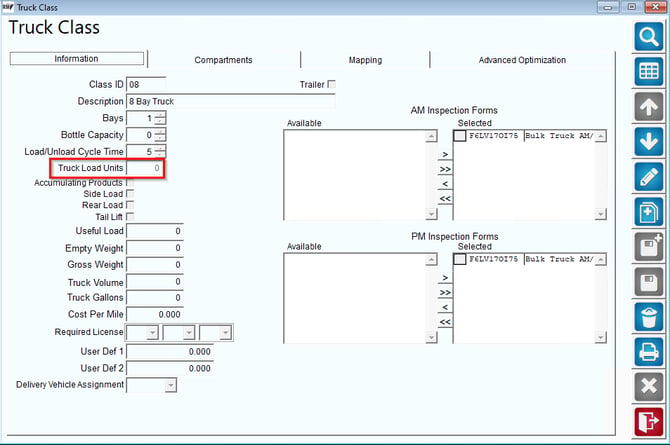
In Truck Class, there is a new item on the screen that allows you to enter the total TLU that can be loaded on a truck. This can be a number from 0 - 99999. Here is a sample screen:
Decide on an acceptable scale that makes sense to you. For instance:
- Give a unit of 1 to five gallon water jugs
- Give a unit of .75 to your case water
- Give a unit of .5 to a box of frac pack/ground coffee
- Give a unit of .25 to individual boxes of K-Cups
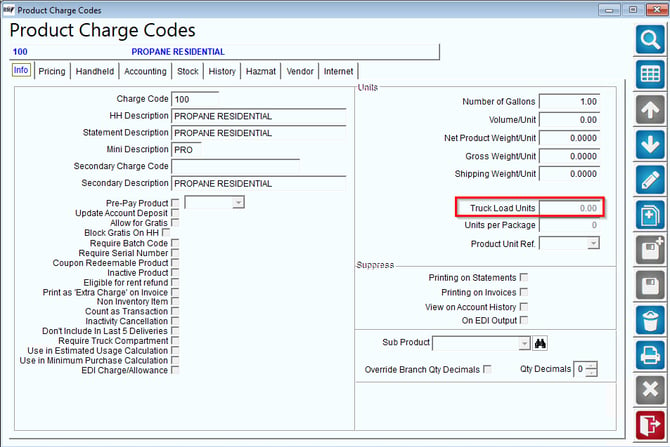
This is the only setup required to use this feature.
ReportingLast 5 Delivery Statistics
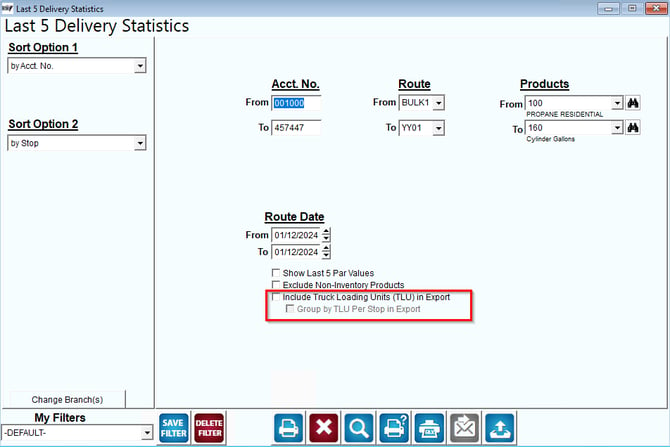
For reporting on Truck Loading Units navigate to Reports > Route Reports > Sales > Last 5 Delivery Report. This report has two options that will allow you to see Truck Loading Unit information through an excel export.
Filters
Include Truck Loading Units (TLU) in Export:
Group by TLU Per Stop in Export:
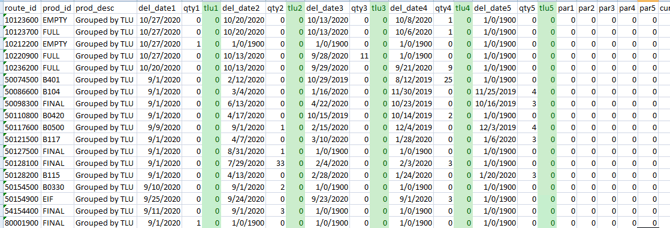
Example for Include Truck Loading Units (TLU) in Export:
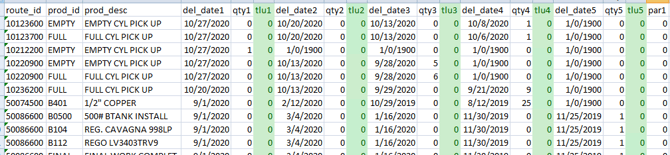
Example for Group by TLI Per Stop in Export:
If there is a single product for a stop it will display the single product line
If there are multiple products for a stop the product description will read "Grouped by TLU"