
Unscheduled Order Alerts can now be created in RMA. This allows users to be notified when they have their inside sales team place an unscheduled order. Once this is configured in RMA, users can now receive an email or SMS alert whenever Unscheduled Delivery Orders are created.
Setup
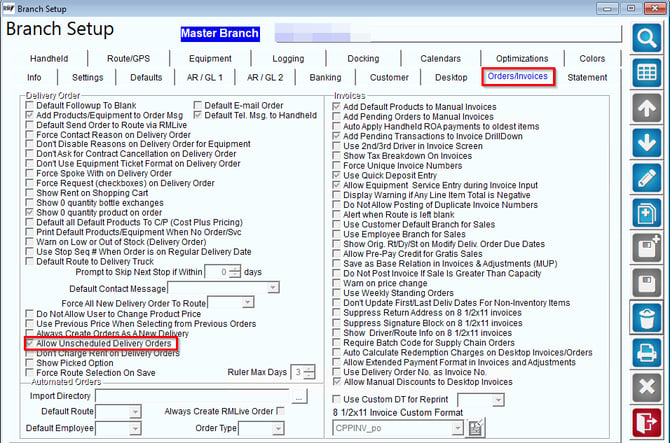
1. To configure this in RMA, navigate to File > Branch Setup > Orders/Invoices Tab > and select "Allow Unscheduled Delivery Orders".
Next, navigate to the Route/GPS tab > Unscheduled Orders.
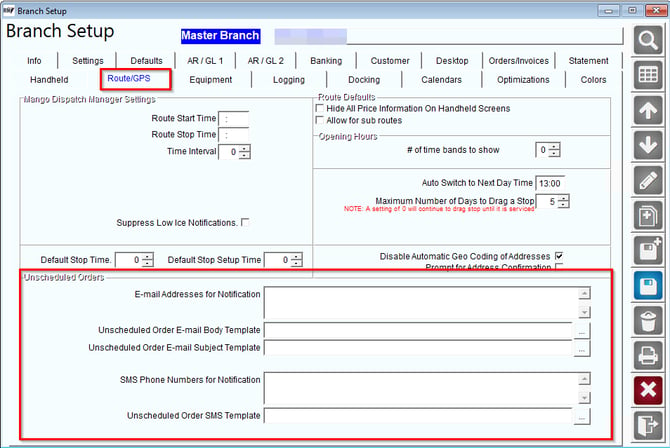
2. Then, fill out the email address, email templates, SMS number, and SMS template, then select Save.
- E-Mail and SMS templates can contain tags such as:
[CUST_ID]
[CUST_NAME]
[CUST_ADD1] [CUST_ADD2]
[CITY_STATE]
[PHONE_1]
[TICKETNUM]
3. Create a delivery order on RMA or MDM.
- In RMA, select the yellow telephone icon on the main screen to navigate to the Delivery Order Screen.
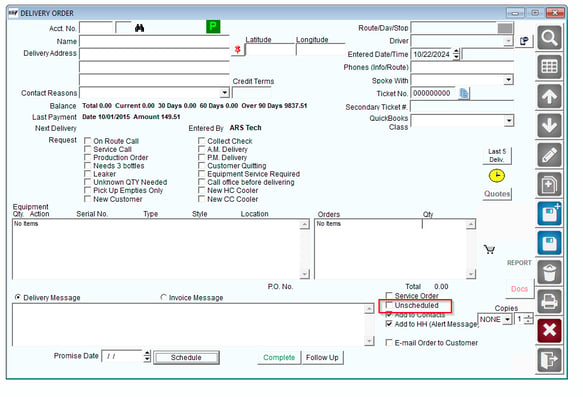
- On a Delivery Order account, you can select "Unscheduled" from the bottom checklist.
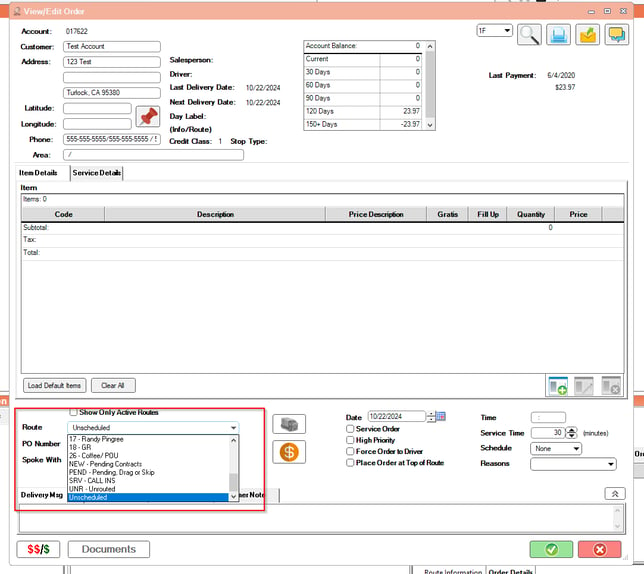
- In MDM on the View/Edit Order screen, select the option "Unscheduled" at the bottom of the route list.
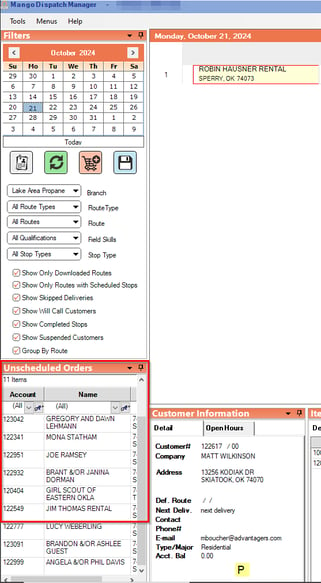
- In MDM, a list of Unscheduled Orders will appear on the Unscheduled Orders side bar.
4. Once an unscheduled delivery order is saved, an email and/or SMS alert will be sent.
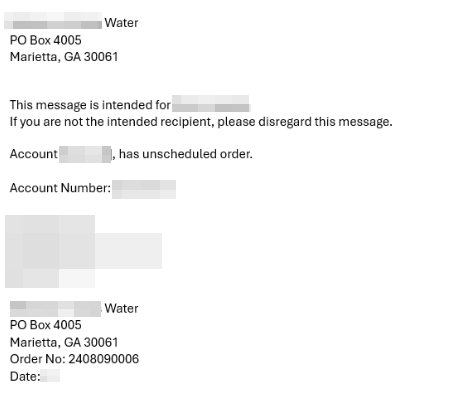
Users can now receive an email or SMS alert whenever Unscheduled Delivery Orders are created.