
Introduction
This report allows you to view customers that are purchasing a high volume of items from the company. The Top Customer Report can be found under Reports > Accounting Reports > Customer > Top Customer Report.
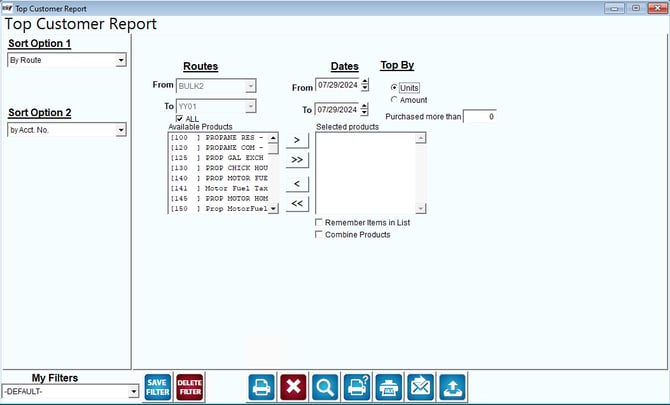
Fields:
Sort Option 1 & 2: The primary and secondary fields to sort by. You can choose from the following categories:
- Route
- Account number
- Units
- Amount
Routes: Select the range of routes to include in the report.
Date: Input the range of dates you want to include on the report.
Top By: Choose to sort by the highest number of units sold or by dollar amount.
Purchased More than: Insert a minimum number in the box to select only top customers.
Available Products and Selected Products: Select which products are to be included in this report and move them to the selected products box.
Remember Items in List: Check this box to maintain this same list.
Combine Products: Click this box to display one entry per product on the report.