
Introduction
This report will give you a list of Delivery Order tickets that have not been printed. The Tickets Not Printed Report can be found under Reports > Route Reports > Daily > Tickets Not Printed Report.
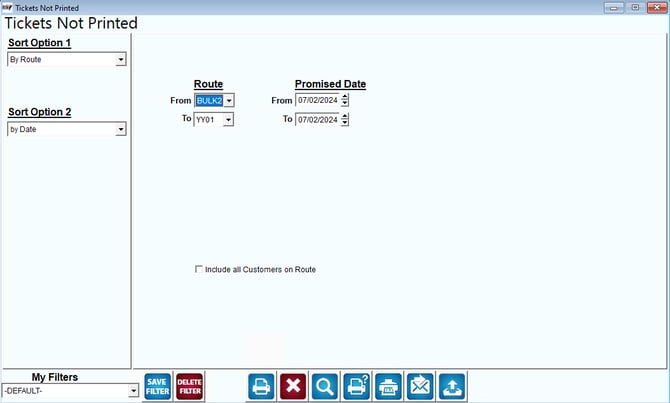
Fields:
Sort Option 1 & 2:The primary and secondary fields to sort by. You can choose from the following categories:
- Route
- Date
Route: Enter a range of routes to include in the report.
Promised Date: Enter a range of delivery day(s) dates to include in the report.
Include all Customers on Route: Choose this option to include all customers with Delivery Orders that fit the criteria entered.