
Introduction
This report will generate a list of all of the routed customers based on their ZIP codes. This can be helpful when re-engineering routes. The report is also helpful for displaying how many customers are routed in each area. The Stops by ZIP Code report can be found under Reports > Route Reports > Management > Stops by ZIP Code.
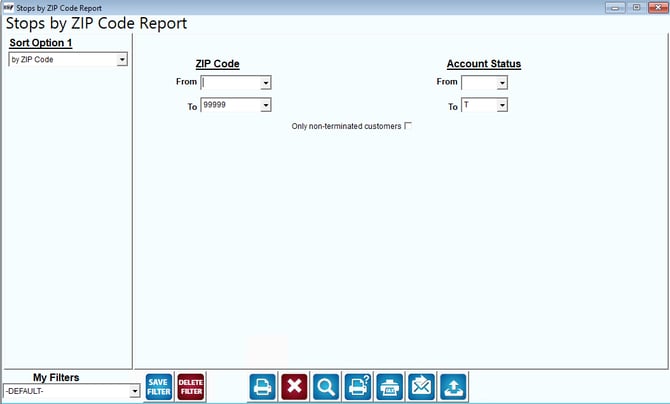
Fields:
Sort Option 1:The primary fields to sort by. You can choose from the following categories:
- Zip Code
- City
- Account Number
- Account Name
ZIP Code: The range of ZIP Codes to include in the report.
Account Status: The range of customers by Status code to include in the report.
Only Non-Terminated Customers: This option will only include customers who do not have an end date on their record.