
Introduction
This article will go over the process of setting up your Afternoon Reports to print out on 1 PDF instead of separate PDF's per report.
Setup
Go to Lists > Routes > Handheld Class.
Locate the Upload Reports tab.
At the bottom of this window, there is a "Create PDF Archive of Upload Reports".
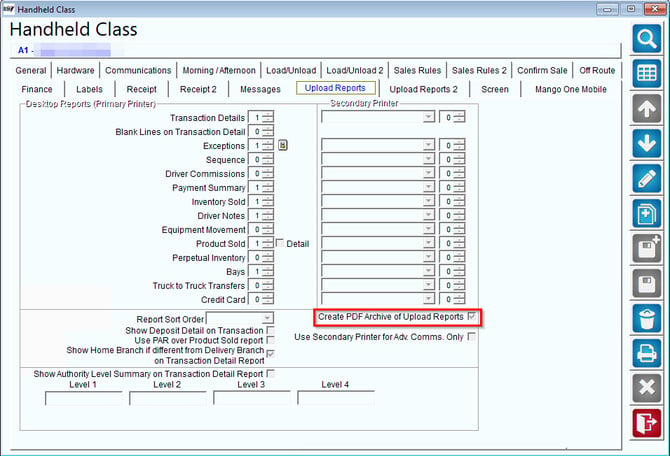
Select this option to create the reports in a single PDF.
These reports can later be found in the File Explorer on your Desktop under RMA > Data > PDF > Handheld > Afternoon.