
Introduction
This report provides the Deposits On-Hand value and previous delivery values for each deposit type, categorized by account. To view this report, navigate to Reports > Accounting Reports > Sales > Sales Summary by Deposit Type.
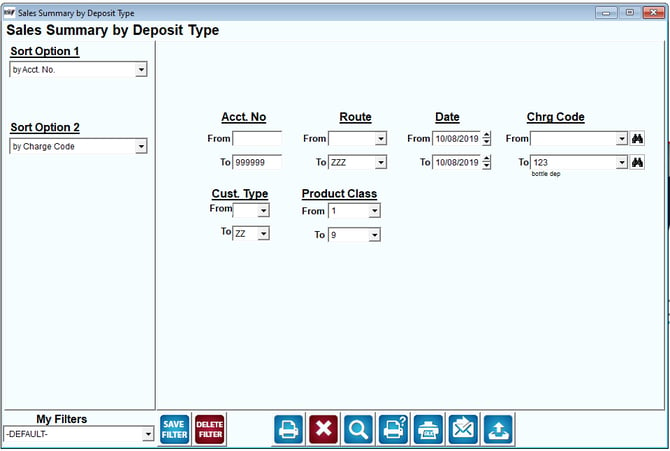
Fields:
Sort Option 1 & 2: The primary and secondary fields to sort by.
Select one of the following categories:
- Account Number
- Charge Code
Acct No: Enter the range of account numbers to be included.
Route: Enter the range of Routes to be included.
Date: Enter the range of dates to be included in the report.
Chrg Code: Enter the range of product charge codes to include in the report.
Customer Type: Enter the range of Customer Type codes to include in the report.
Product Class: Enter the range of Product Class codes to include in the report.