
Introduction
This report provides sales and tax information separated by month, quarter, and year-to-date. To view this report, navigate to Reports > Accounting Reports > Tax > Sales and Tax Report.
NOTE: Do not use this report solely for sales figures. Use the Sales Detail Report for detailed sales information.
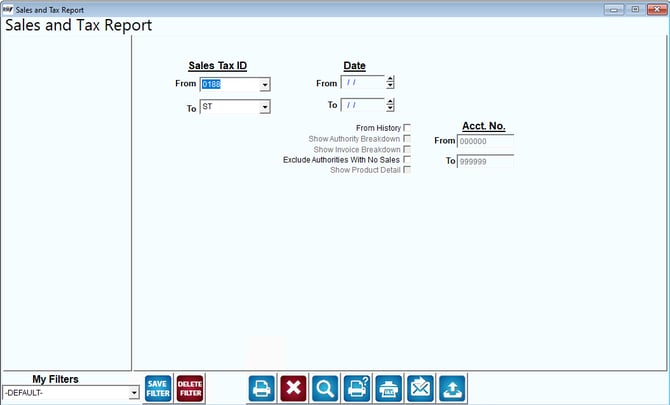
Fields:
Sales Tax ID: The range of sales tax codes to include in the report.
Date: Specify the date range to be used on the report. These two fields only show if Calculate from History is checked.
From History: Choose this option to calculate taxes with a date range.
Note: If you select Calculate from history a date filter will appear on this report. If you select Calculate from history and show invoice breakdown a date and customer range filter will appear on this report.
Show Authority Breakdown (Calculate from History Selected): Choose this option to show the Authority Breakdown.
Show Invoice Breakdown (Calculate from History Selected): Choose this option to breakdown the history by Invoice.
Exclude Authorities With No Sales: Choose this option to hide sales tax authorities from showing on the report if they have no sales associated with them.
Show Product Detail: Choose this option to show Product Details on the report.