
Introduction
This report will list customer container and equipment quantities per stop. The report is sorted by route and day label automatically. The Route Planning Sequence Report can be found under Reports > Route Reports > Management > Route Planning Report.
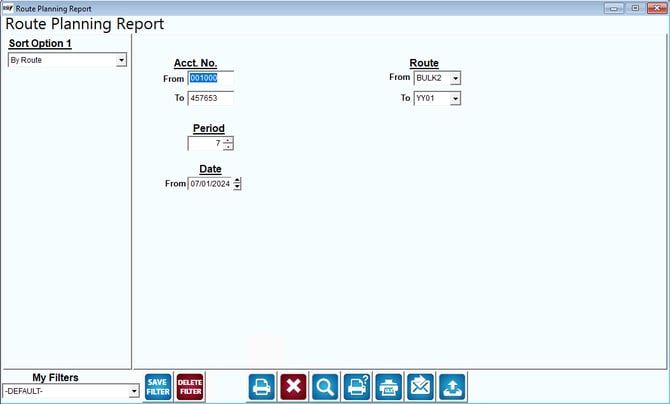
Fields:
Sort Option 1: This option is defaulted for you. This report can only be printed by Route.
Acct No: Enter the range of account numbers to include on the report.
Route: Enter a range of routes to include in the report.
Date: Enter the date for the start planning report.
Period: Enter the number of days to include in the planning report.