
Introduction
The Route Planning Calendar provides you with a monthly calendar that includes each route stop per day for the route selected. To access the Route Planning Calendar, go to Route > Route Planning Calendar.
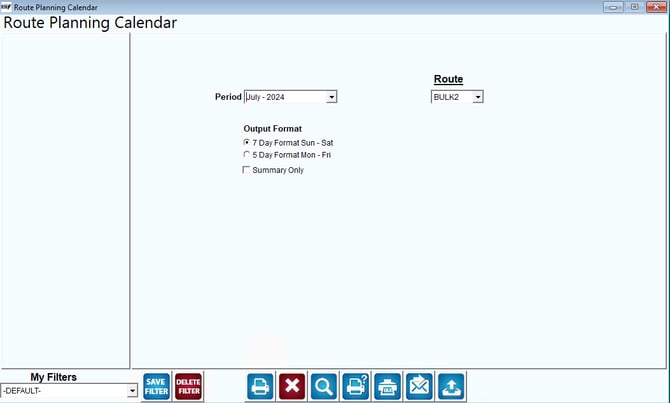
Fields:
Period: Select the monthly period to be used on the route planning calendar.
Route: Select the route to include on the calendar.
Output Format: The following are the options available when printing the calendar: 7 Day format of Sunday through Saturday or 5 Day Format of Monday through Friday.
Add [W] for Will Call Customers: Select this option in report to put a W behind the name for will call customers in the report