
Introduction
This Reprint is used to reproduce the driver’s Product Sold report obtained during the upload and check-in process. The Reprint Product Sold Report can be found under Reports > Route Reports > Reprint > Reprint Product Sold Report.
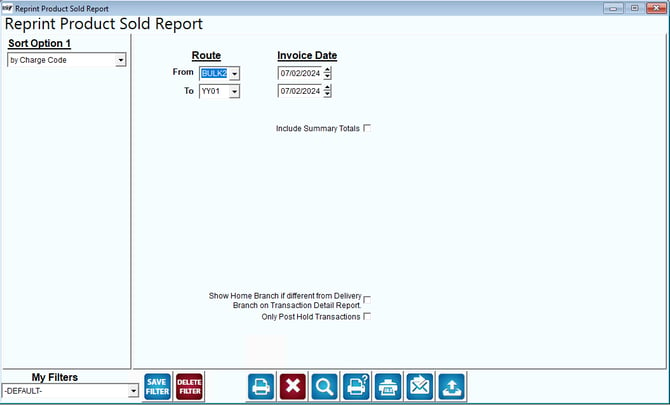
Fields:
Sort Option 1: This option is defaulted for you. This report can only be printed by charge codes.
Route: The range of routes to include in the report.
Invoice Date: The invoice date for this report.
Include Summary Totals: Check this box to have the report include a summary report with recap of the total sales.