
Introduction
This option allows you to reprint archived Afternoon Report data for each route uploaded. Simply click on each Route/Date that you would like to reprint and choose ‘OK’. The Reprint Archived Upload Report can be found under Reports > Route Reports > Reprint > Reprint Archived Upload Reports.
NOTE: Before the Afternoon Reports can be reprinted, the option must be enabled by going to Lists > Routes > Handheld Class > Upload Reports, and selecting the ‘Create PDF Archive of Upload Reports’ option.
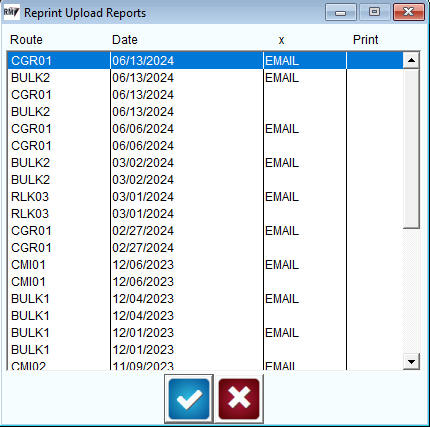
Fields:
Route and Date: Displays each Route/Date that can be reprinted.
Print: Displays an ‘*’ next to each Route/Date that will be printed.