
.png?width=670&height=200&name=1694111683984%20(1).png)
This article is designed to provide you with a comprehensive understanding of the process involved in performing a pump-out at customer locations using your ETI meter, or alternatively, through manual entry.
A "pump-out" typically refers to the removal of liquid contents, often from a storage tank or container. In the context of commercial vehicles, particularly those transporting liquids like fuels or chemicals, a pump-out is a crucial operation. It involves transferring the contents of the vehicle's storage tanks, such as those carrying fuels or other fluids, to another container or system at a customer's location. This process can be performed using specialized equipment like a pump-out system or meter, which accurately measures the quantity of liquid being transferred.
This article will guide you through the steps and procedures necessary for executing a successful pump-out operation using your ETI meter, which is designed to facilitate precise measurements and data collection. Alternatively, it will also explain how to manually record and manage pump-out activities, ensuring that you have a comprehensive understanding of both methods to meet your operational needs effectively.
SetupThis portion of the article will guide you through the items you need to setup, before preforming a pump out in Mango One Mobile.
Propane Product Charge Code
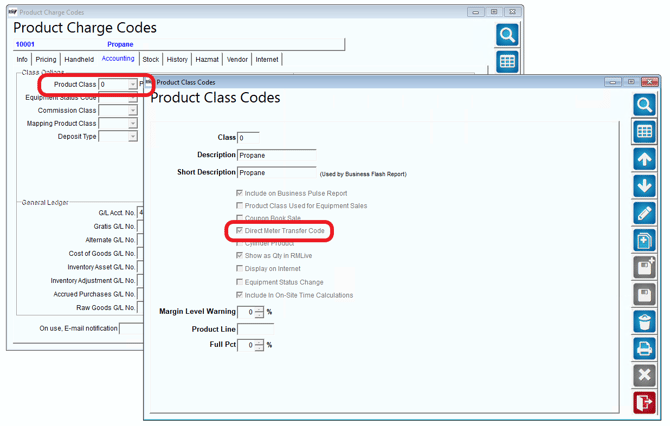
- Must have a product class code that has "Direct Meter Transfer" enabled. Navigate to Product Codes > Product Charge Codes > Accounting Tab. Navigate to Lists > Product Codes > Product Class Codes to reach the Product Class Codes Screen.
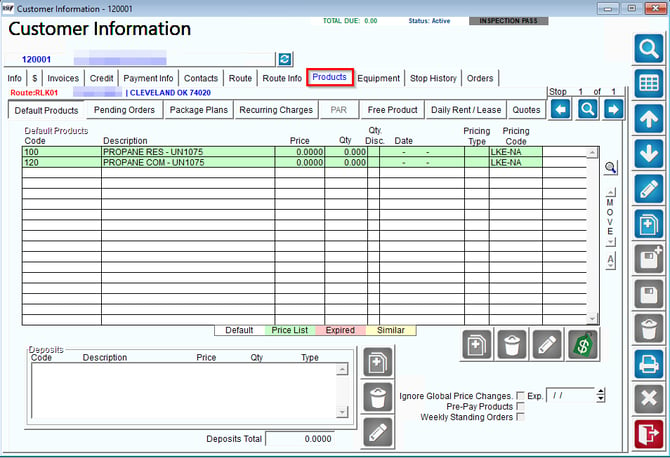
2. Assign your Propane product as a default product to your customers under Lists > Customer Information > Products Tab > Default Products.
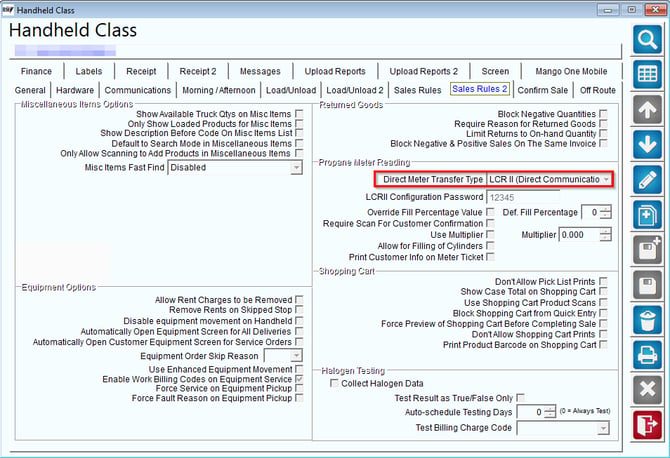
3. Navigate to Lists > Routes > HH Class > Sales Rules 2 Tab > Direct Meter Transfer type set to LCR 2 (Direct Communication).
4. Connect your Meter to Mango One Mobile
- CLICK HERE to learn how to connect your meter via Bluetooth in Mango Mobile
Once you have downloaded a route in Mango One Mobile, navigate to the customer you would like to service you can begin the pump out process.
Auto Pump Out
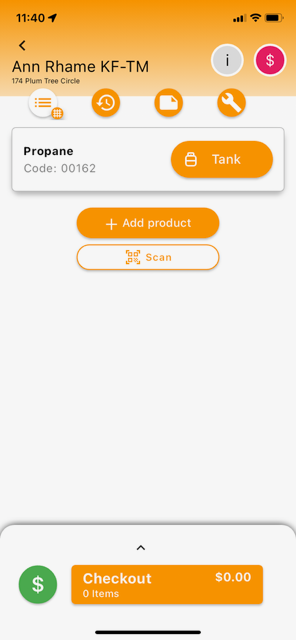
- On the customer stop screen make sure the product displayed is your propane product charge code, then select the QTY field highlighted below to begin your pump-out
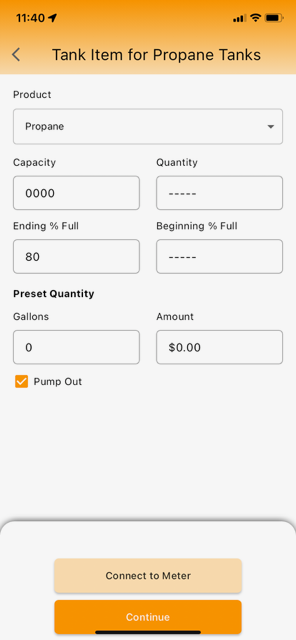
2. Select “Pump Out”.
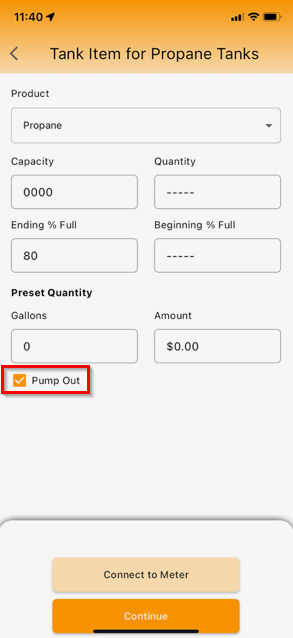
3. Select "Connect to Meter".
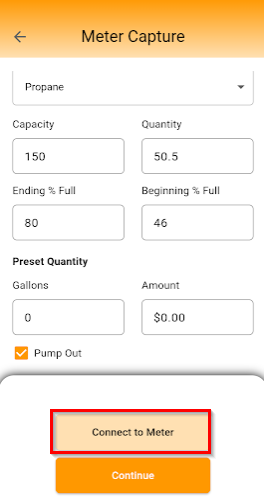
4. Once the LCR is connected, Select Start to begin pumping out.
5. Select Stop and save the quantity once finished.
6. On the meter capture screen the the quantity will be negative as well.
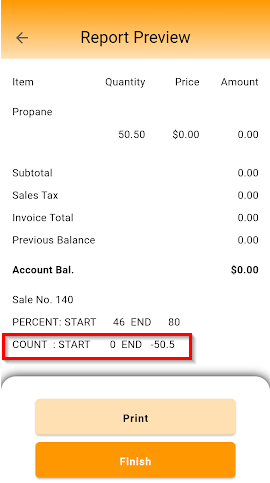
7. The quantity will be displayed in a negative quantity on the quick sale screen, shopping cart, and invoice.
Support
If you need further assistance from our support team please email us at support@advantagers.com or call us at 209-632-1122.