
Introduction
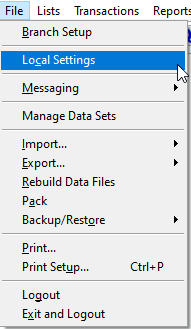
The Local Settings screen contains workstation specific data. Each user can define their default printer(s), language, and other information unique to their workstation. You may find this in RMA under File> Local Settings.
Desktop Tab
The Desktop tab contains default settings that generally affect the user’s interaction with the Customer Information screens. This is also where you can setup custom Program Language
.
Communications Tab
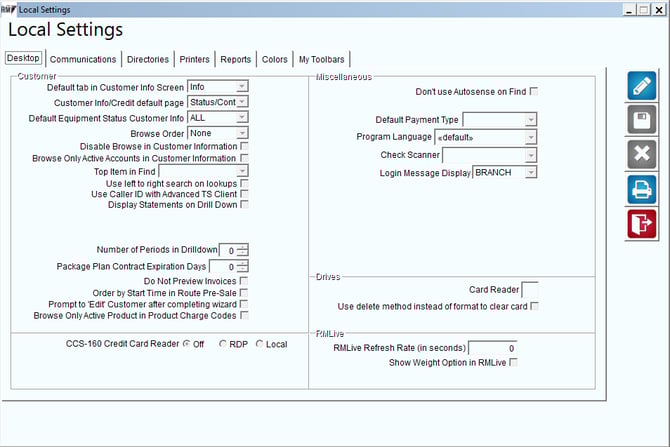
The Communications tab includes wireless handheld transfer and e-mail options. This tab is most commonly skipped over and not used.
Directories Tab
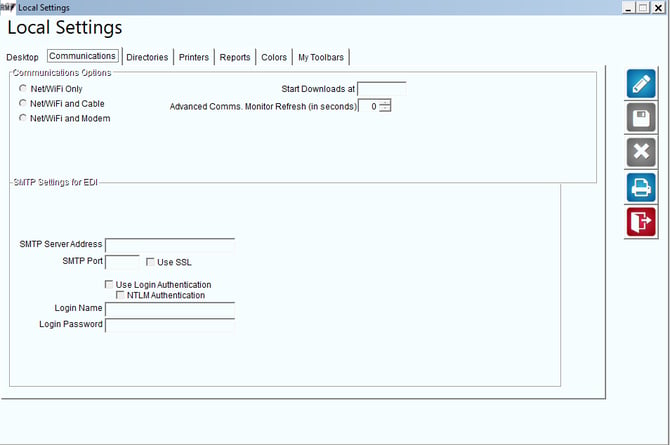
The Directories tab contains directory options used for exporting backup files, reports, and optional modules.
.png?width=24&height=26&name=1591853876964%20(1).png) Browse Button: By clicking this button next to each option you are able to browse for the directory or file you wish to use.
Browse Button: By clicking this button next to each option you are able to browse for the directory or file you wish to use.Printers Tab
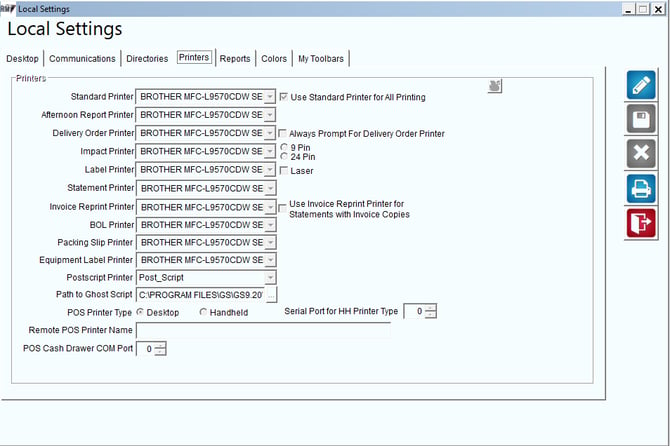
The Printers tab allows you to define all the printers that will be used at each workstation. Each printer available at your workstation will be displayed within the drop-down list next to each item.
Reports Tab
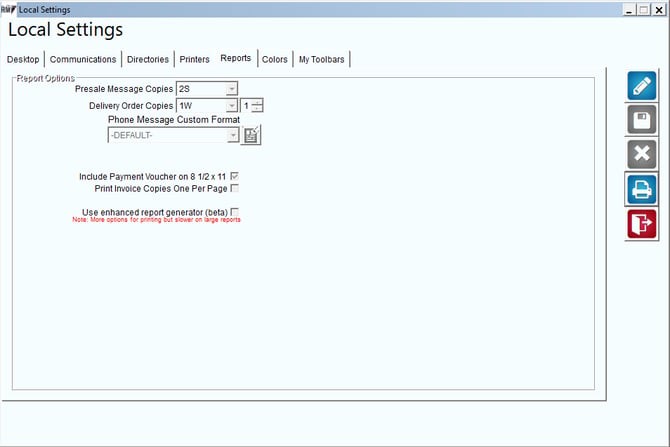
The Reports tab allows you to define options regarding some reports/screens in the program.
-
This option is no longer available in R7+ builds.
Colors Tab
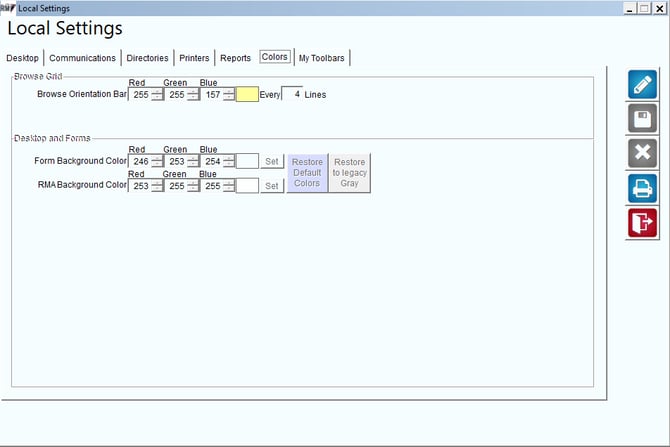
The Colors tab allows for customizing the color scheme and background colors in Route Manager. Each user can modify these values to personalize their Route Manager experience.
My Toolbars
The My Toolbars Tab allows each user to establish up to 16 different shortcuts that appear in the toolbar area in Route Manager. This is extremely helpful for those users that use the same screens over and over, saving them time from having to navigate to them via the standard drop-down menus.
Once in Modify mode, select an existing icon, or one of the red X’s on the screen to modify/setup that buttons shortcut.
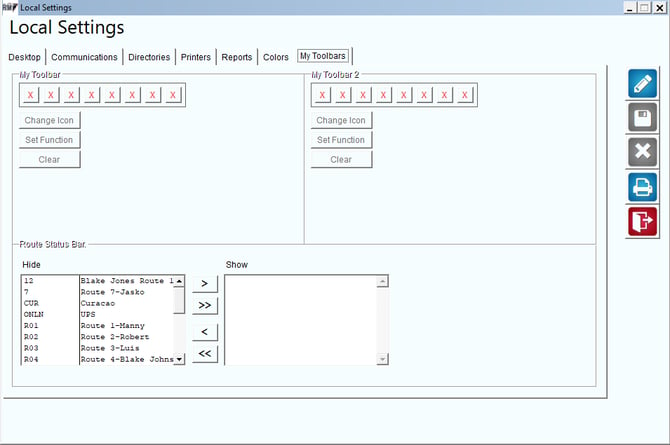
Route Status Bar: This is used with the option under Tools > Show/Hide Communications Toolbar. This will create a toolbar across the top of Route Manager with your routes and the status of their upload/download.