
Introduction
This report provides a summary of products sold by route. The Product Sales Summary report can be found under Reports > Route Reports > Sales > Product Sales Summary.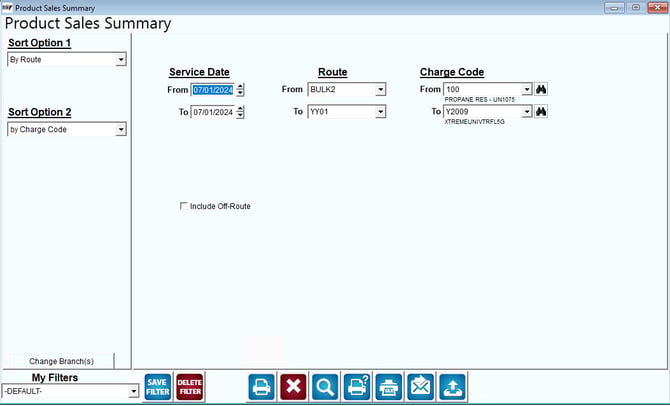
Fields:
Sort Option 1 & 2: The sort options for this report are:
- Route
- Charge Code
Change Branch: If you are logged into multiple branches, this option may be shown and allows you to re-select the branches to include in the report instead of having to completely exit the report.
Service Date: The range of route dates to include in the report.
Route: The range of route ID’s to include in the report.
Charge Code: The range of product codes to include in the report.
Include Off-Route:Choose this option to include off route deliveries in the report.
Include Inactive Employees: Select this option to include inactive accounts in the report.
Default Equipment Service Ticket: These 2 buttons are used to select a default Service Ticket. Select the default ticket from the dropdown menu---the standard service ticket or a custom ticket (if applicable).