
Introduction
Use this report to compare two products and their selling trends. The Product Comparison Sales Report can be found under Reports > Accounting Reports > Other > Product Comparison Sales Report.
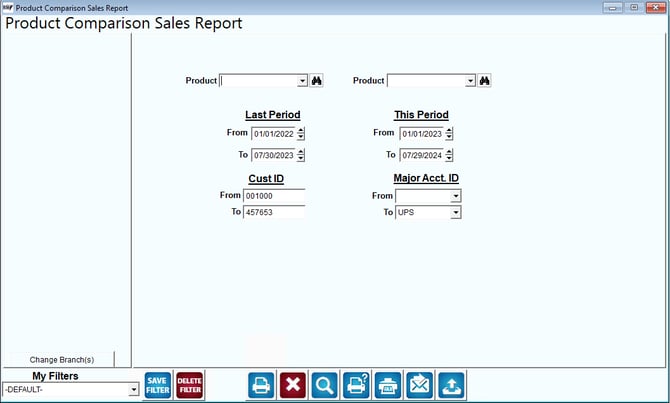
Fields:
Change Branch: If you are logged into multiple branches, this option may be shown and allows you to re-select the branches to include in the report instead of having to completely exit the report.
Product: In these two fields, enter two products to be compared.
Last Period/This Period: Establish two periods for making the comparisons for the two selected product charge codes.
Cust ID: Enter the range of account numbers to include on this report.
Major Acct ID: Select the range of Major Account codes to include on the report.