Introduction
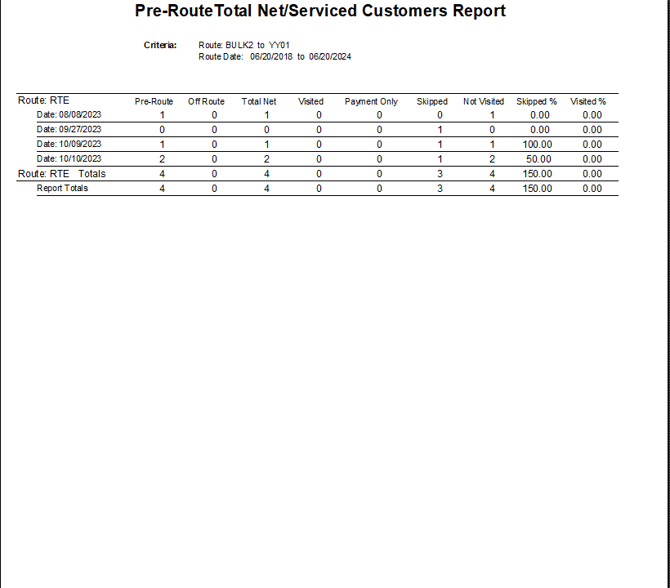
This report will track the number of customer’s that have been “serviced” each delivery day — based on the items added to the Products Indicating Serviced field located within Lists > Routes > Handheld Class, on the Upload Reports 2 tab. The Pre-Route Total Net/Serviced Customers Report can be found under Reports > Management Reports > Pre-Route Total Net/Serviced Customers Report.
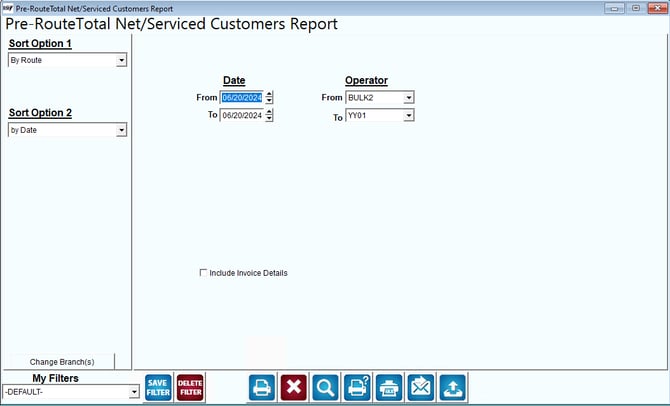
Fields:
Sort Option 1 & 2: The primary and secondary fields to sort by. Sort by the following categories:
- By Route
- By Date
Date: Enter a range of delivery day(s) dates to include in the report.
Operator (Route): Enter a range of routes to include in the report.
Include Invoice Details: Check this box to receive the full detailed report.
Here is an example of the report: