
Introduction
Use this report to view earned points per customer, as part of the Customer Retention Program. The Point Status Report can be found under Reports > Accounting Reports > Customer > Point Status Report.
NOTE: The Customer Retention Program allows you to provide incentives to your customers for purchases.
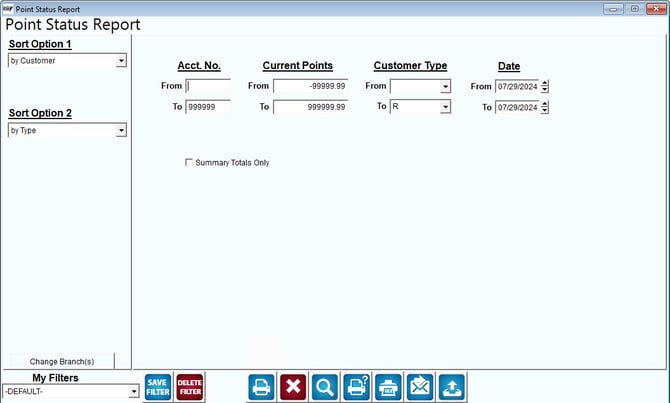
Fields:
Sort Option 1 & 2: The primary and secondary fields to sort by. You can choose from the following categories:
- Customer
- Type
- Points
- Date
Change Branch: If you are logged into multiple branches, this option may be shown and allows you to re-select the branches to include in the report instead of having to completely exit the report.
Message Date: Enter the date range to include on the report.
Acct No: Enter the range of account numbers to include on the report.
Message Type: Specify the type of messages to include in the report.
Message Class: Select the class of messages to include in the report.
Message Status: Indicate the status of messages to include in the report.
Date: Input the range of dates you want to include on the report.
Detailed Report: Select this option to show more detail on the report