
Introduction
This report includes a summary of payments received for the date and route entered. Find this report under Reports > Accounting Reports > Sales > Payment Summary from History.
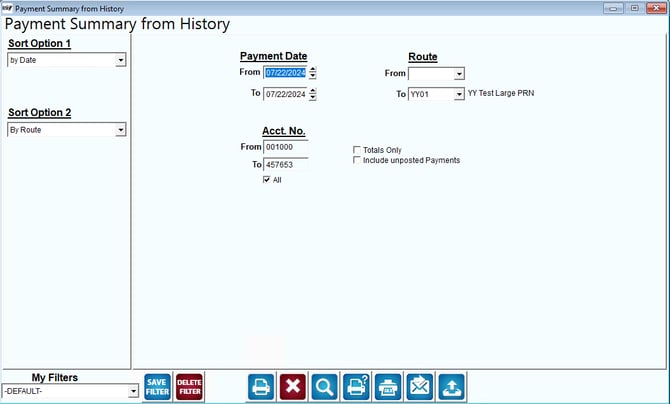
Fields:
Sort Option 1 & 2s: The primary fields to sort by. You can choose from the following categories:
- Date
- Route
- Account Number
Payment Date: Enter the range of dates to include in your report.
Route: Select the range of routes to include in the report.
Totals Only: Select this to include only the payment totals.
Include Unposted Payments: Select this to include unposted payments in the report.