Introduction
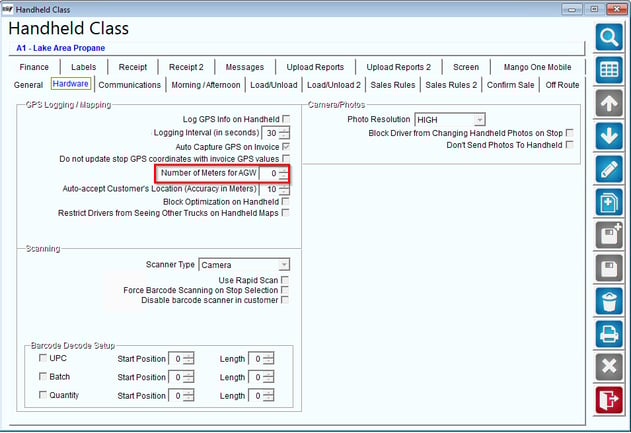
This article reviews the handheld class option on the Android tab for Number of Meters for AGW (Auto GPS Warning). This feature allows you to set a numeric value for what you wish to be a valid radius for capturing GPS coordinates.
Setup
To set up this feature you will open RMA and navigate to Lists > Routes > Handheld Class > Hardware Tab.
Process
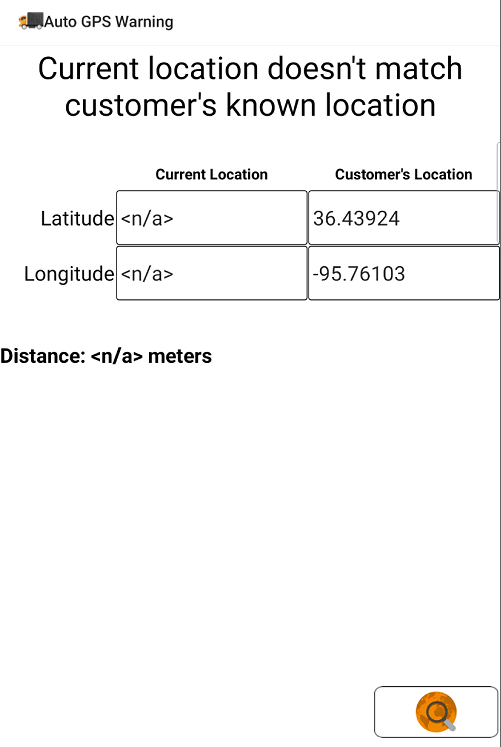
After your driver has downloaded a route and is ready to begin his/her first stop they will select a customer, if the customer is not within the allotted number of meters per the customer geocoded location the driver will receive a warning. (See below).