Setup
To begin setup, you will need to do the following.
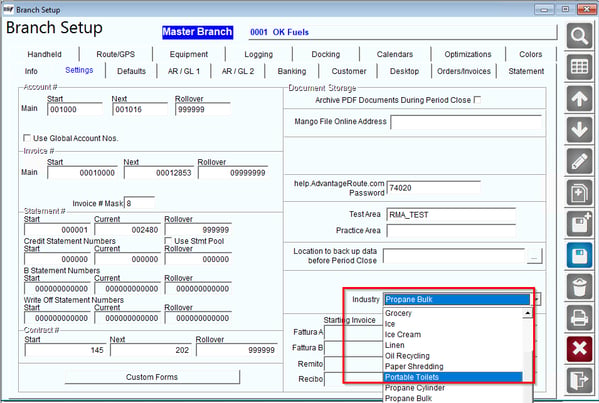
- Navigate to File > Branch Setup > Settings Tab and make sure your industry is set to either Propane Cylinder or Propane Bulk.
For this process you will need to navigate to Lists > Routes > Advances Communication Configuration > Propane/Meter Tab
On this tab you will need to set your Nightly Propane Levels Calculations Run time as well as select the "Run Calculations" option.
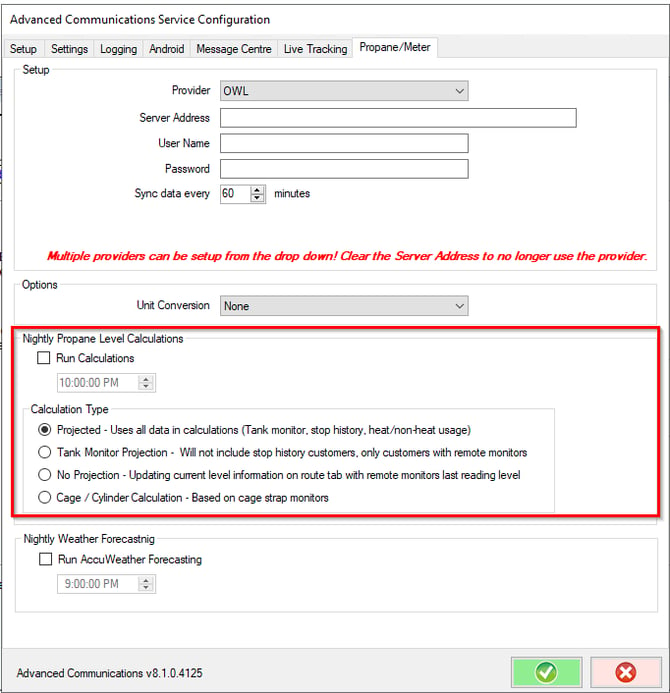
Calculation Types:
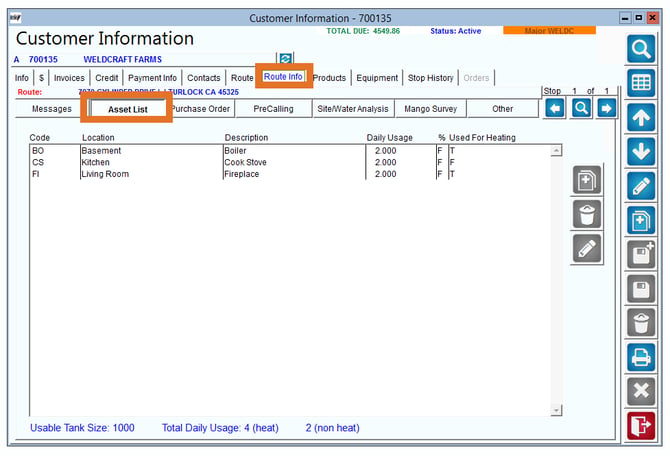
- Projected: RMA will attempt to project your require gas date and out of gas date as well as current level percentage using all data available; monitors, stop history, heat and non-heat usage values (found in Route Info > Asset List).
- Tank Monitor Projection: RMA will not include stop history in projections. In the case where a monitor has not sent a reading back for a few days, RMA will use heat and non-heat usage to predict the current level percentage on your tank.
- No Projection: RMA will not predict require gas or out of gas dates. Current level readings will only show what the last monitor reading was (despite how long ago the last reading was).
Equipment Setup
For this process your customers must have equipment assigned with a capacity and information for one of the following processes.
- Mango Tank Monitoring with at least 1 valid reading
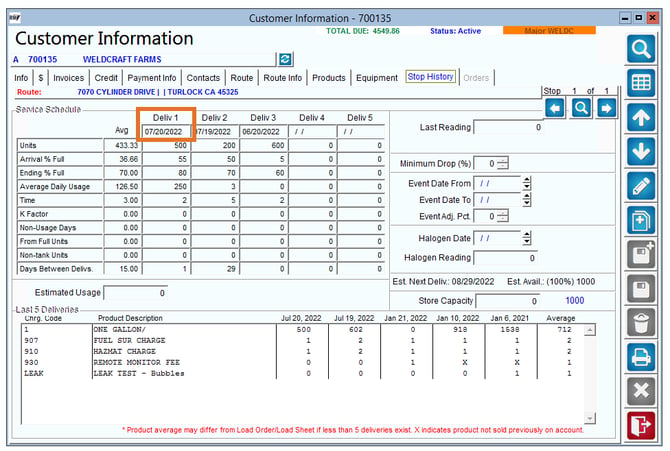
- Stop History information in the grid for at least 1 reading for a known date and ending
- Units
- Arrival Full %
- Ending Full %
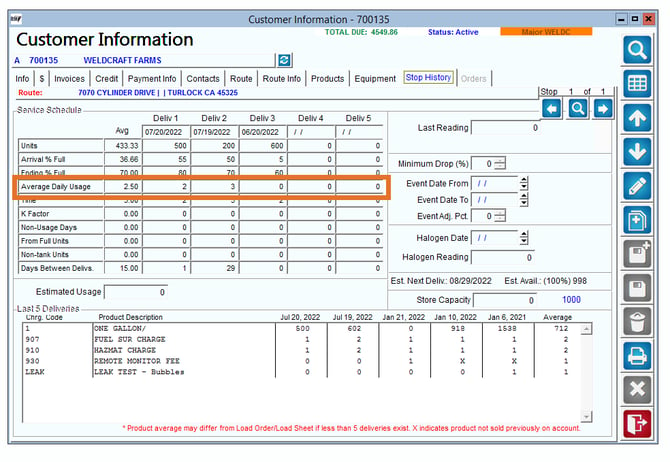
- Average Daily Usage
Note: All equipment on a stop is assumed to be one type of fuel. Therefore, if you have multiple types of fuel each type of fuel will need its own correlating stop.
New Fields on Customer Route Tab
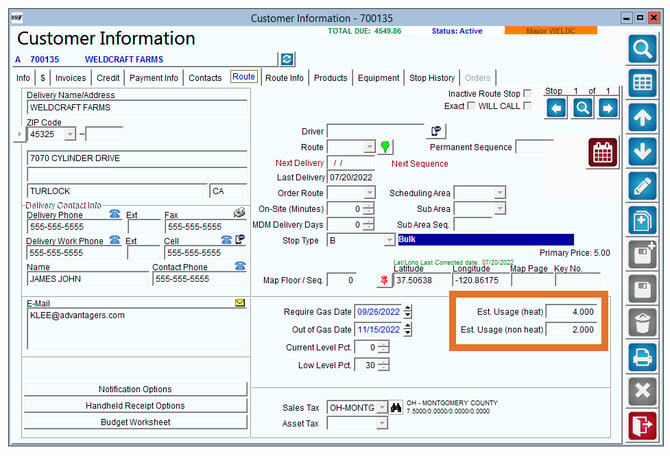
The screen below displays all of the new propane data that is used for nightly propane calculations
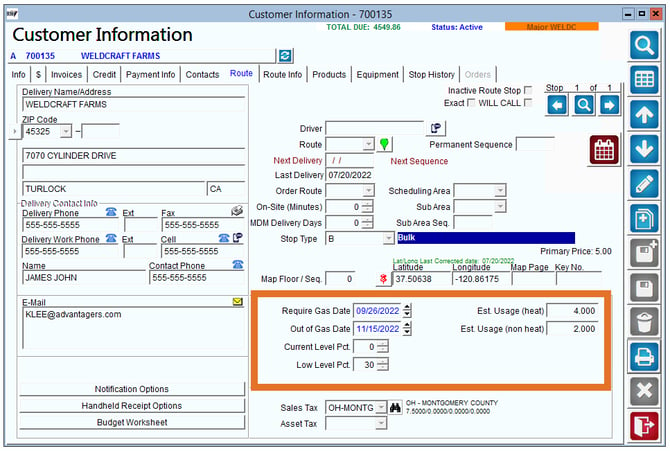
Fields:
Require Gas Date: This date field is auto populated by the nightly propane calculation process, to estimate the date your customer will need gas according to their low level percentage.
- Formula: (capacity) * ((current level % - require gas %) / 100)) /Average Daily Usage
Out of Gas Date: This date field is auto populated by the nightly propane calculation process, to estimate the date your customer will need gas according to when the customers tank will be empty.
- Formula: (Capacity of Equipment/s) * ((Current Level %)/100)/ Average Daily Usage
Current Level Pct.: This field can be calculated two different ways depending on which propane process you are following (Mango Tank Monitoring/Stop History)
1. Mango Tank Monitoring- will use the pieces of equipment's last full date
2. Stop History Information- will use the last deliveries ending % full
- Formula: Last known Full % - (Last known full to current date days) * ((Daily Average Usage/Capacity) * 100)
Low Level Pct.: This field requires you to enter the low-level percentage for your customers tanks. This will determine when gas will be required. 0 is used to determine when the tanks will be empty.
Estimated Usage (heat): The information for this field will auto-populate from the route information tab> Asset list of the estimated usage of all heat appliances. If you are not using the assets list please refer to the "determining daily usage" portion under Calculations
Estimated Usage (non-heat): The information for this field will auto-populate from the route information tab> Asset list of the estimated usage of all non- heat appliances. If you are not using the assets list please refer to the "determining daily usage" portion under Calculations
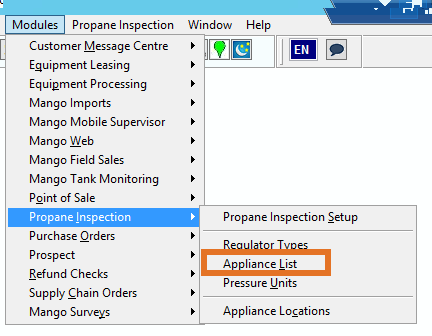
Navigate to Modules > Propane Inspection > Appliance List.
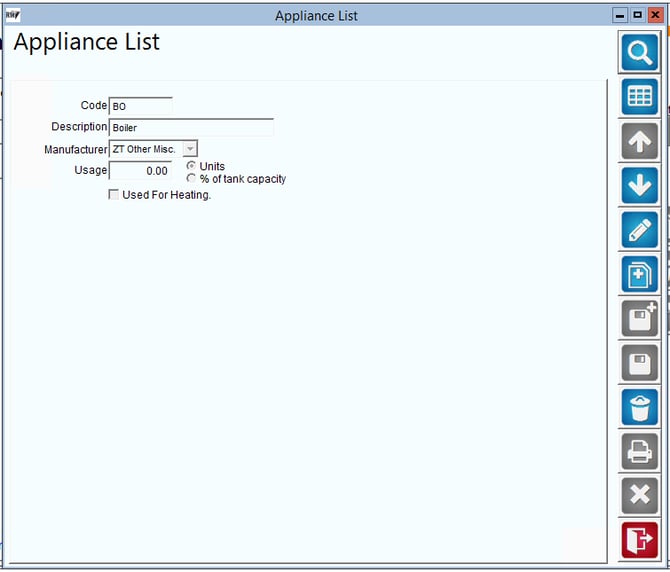
Create an appliance list with the following information
Calculations
We are using algebraic formulas to determine the current tank level, the require gas date and the out of gas date. The information you will need to preform these calculations are outlined below along with the formula used for each calculation.
Formulas
Current Level % Formula: Last known Full % - (Last known full to current date days) * ((Average Daily Usage/Capacity) * 100)
Require Gas Date Formula: (capacity) * (current level % - require gas %) / 100)) /Average Daily Usage
Out of Gas Date Formula: (Capacity of Equipment/s) * ((current level %)/100)/ Average Daily Usage
Fields for Formulas
Average Daily Usage: If at least one of the estimated heat/non-heat usage fields are filled in on the Route tab of Customer Information, we use those values.
- If both values are empty, it will look at the following:
- If using tank monitors, it will try to determine the daily usage for the last 2 weeks for the last entry from each day.
- rmrdgtanklevelhist
- If not using tank monitors, or there isn’t sufficient tank monitor data, it will then use the avg usage field from the Stop History Data. You will use the Average Daily Usage for the most recent delivery. In the below screen the Average Daily Usage that would be used would be 2
- If using tank monitors, it will try to determine the daily usage for the last 2 weeks for the last entry from each day.
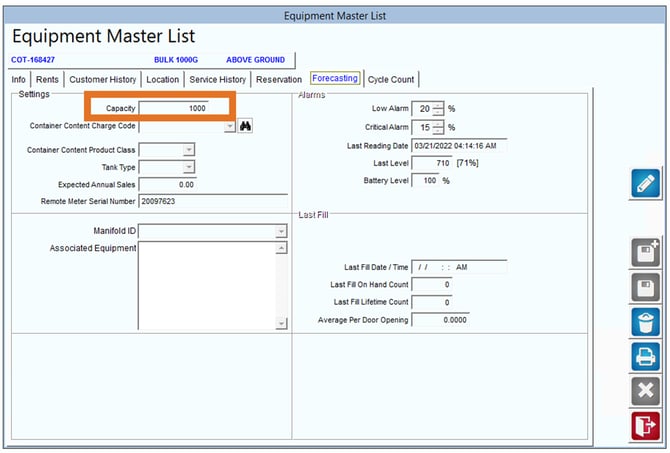
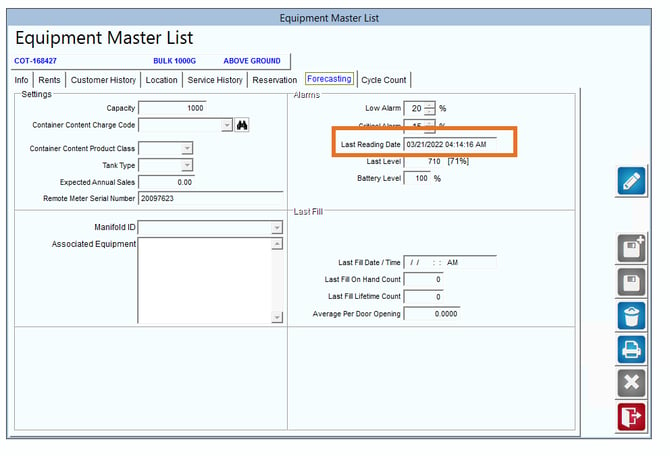
Capacity for Equipment: This is the sum of all equipment capacities assigned to a stop. Capacity can be found on the piece of equipment on the forecasting tab.
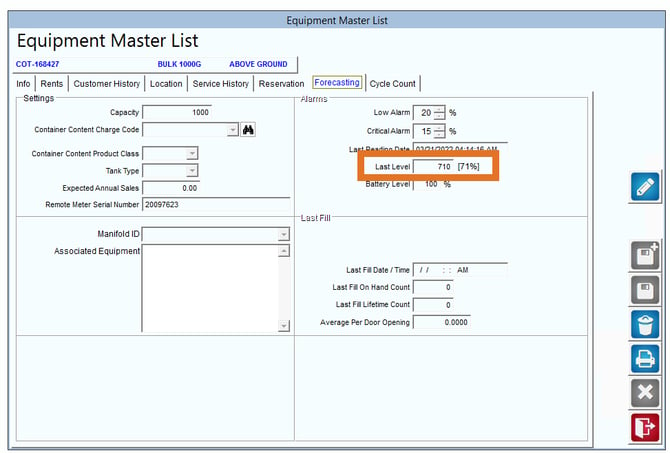
Last known % Full:
- If using tank monitors, the last recorded reading is used.
- This is being stored as total gallons, so that is being converted into a filled % value for the calculations.
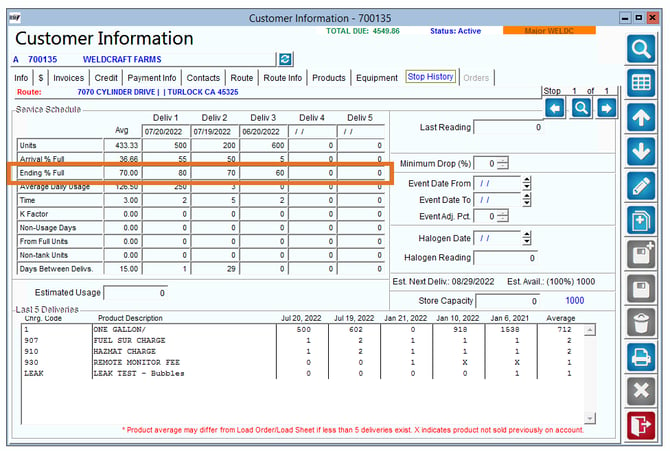
- If not using tank monitors, the most recent stop history record is used.
- The end % values is stored as % of tank full and used as-is. In the screen below the ending full % would be 80.
Last known Full Date:
- Monitored Equipment. In the screen below you would use the last known full date as 03/21/2022
- Stop History- In the screen below you would use the last delivery date on stop history which would be 07/20/2022