
Introduction
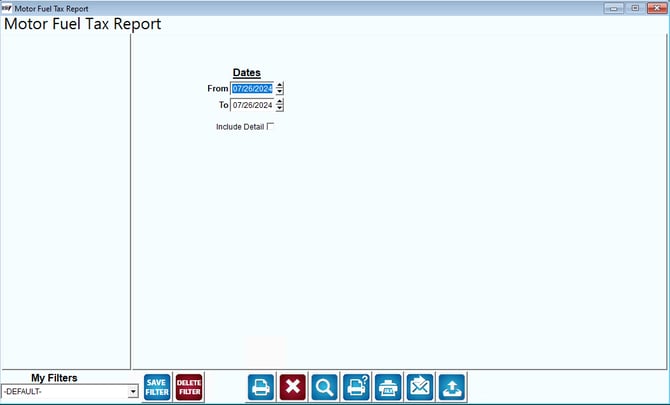
The "Motor Fuel Tax Report" interface shown in the image allows users to generate a report detailing motor fuel tax information. Here is what the report generates:
Fields:
Dates: Users can specify a date range for the report. In the image, the range is set from 07/26/2024 to 07/26/2024.
Include Detail: There is an option to include detailed information in the report. This option can be toggled on or off.
What the Report Generates
1. Motor Fuel Tax Summary: The report provides a summary of motor fuel taxes collected within the specified date range.
2. Detailed Transactions (if selected): If the "Include Detail" option is checked, the report will include detailed information about each transaction contributing to the motor fuel tax totals.
Actions
Save Filter: Save the current filter settings for future use.
Delete Filter: Delete the current filter settings.
Generate Report: Print or export the report to various formats such as PDF, Excel, etc.
Summary
In summary, this report helps users track and analyze motor fuel tax data over a specified period, with the option to include detailed transaction information.