
Introduction
This report is helpful to facilitate the process of tracking delivery ticket numbers. The report will display the Delivery Order ticket numbers that were processed but not entered into the system. The Missing Delivery Tickets report can be found under Reports > Route Reports > Management > Missing Delivery Tickets.
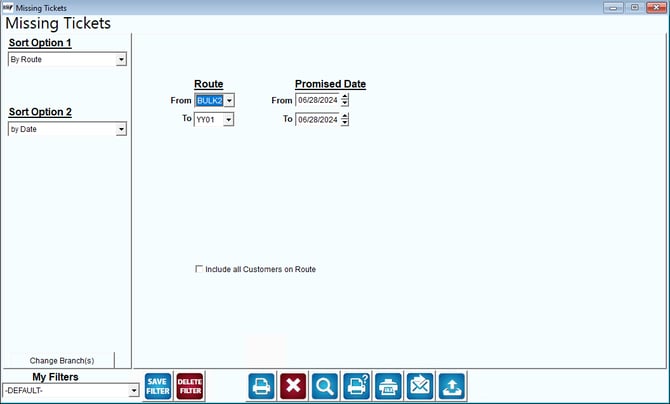
Fields:
Sort Option 1 & 2: The sort options for the report.
- Route
- Date
Change Branch: If you are logged into multiple branches, this option may be shown and allows you to re-select the branches to include in the report instead of having to completely exit the report.
Route: enter a range of routes to include in the report.
Promised Date: Enter the range of dates to include on the report.
Include all Customers on Route: Choose this option to include all customers on each route selected.