
This article provides step-by-step instructions on how to set up and manage equipment leases in RMA. This process ensures that Minimum Annual Units (MAU) are properly tracked and displayed in Mango One Mobile. By following these steps, you'll be able to load equipment, verify its placement, and complete lease agreements with accurate MAU details.
Setup
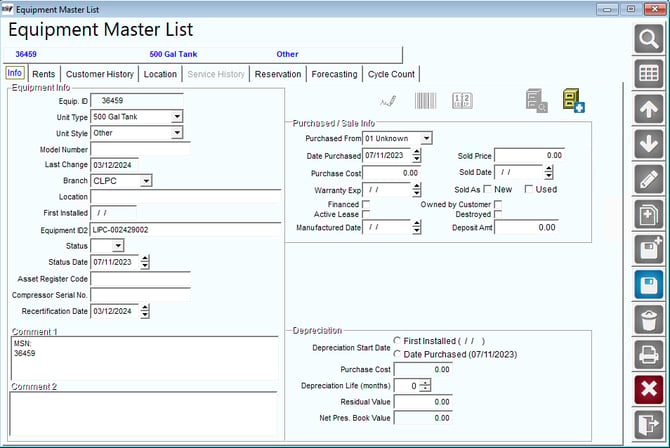
1. Navigate to Equipment Master List
- Go to List > Equipment > Master List in RMA.
2. Add the Dynamic Label
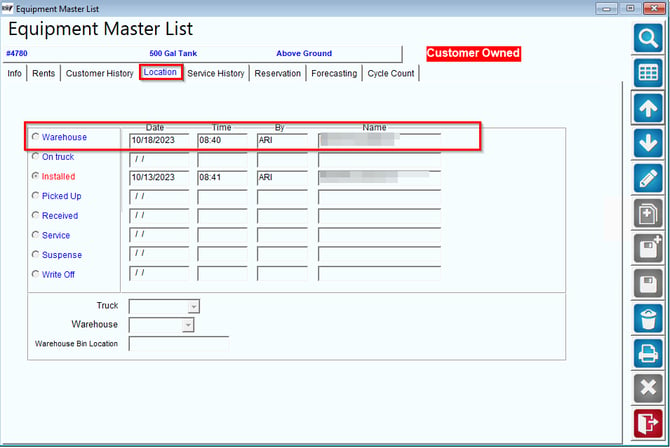
- To enable viewing MAU in Mango One Mobile, add the dynamic label to the lease agreement. This piece of equipment should not be assigned to a customer but should be in the warehouse. Navigate to the
Locationtab on the Equipment Master List.
3. Set Minimum Annual Units
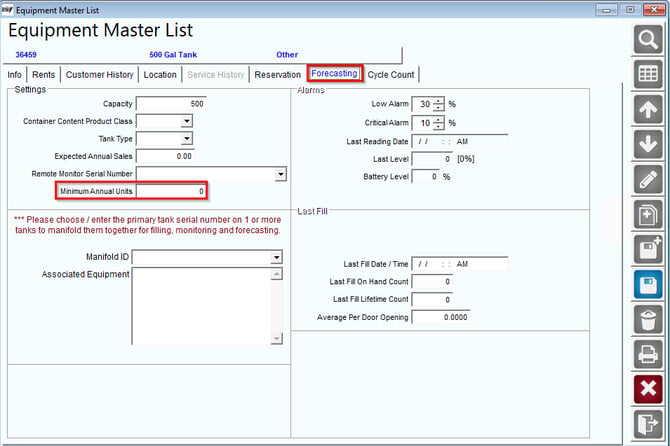
- Once you've located the piece of equipment, go to the
Forecastingtab and set the minimum annual units (MAU) for the equipment.
4. Edit Lease Receipt Message
- Navigate to
Lists > Routes > Handheld Class > Messages > Lease Receipt.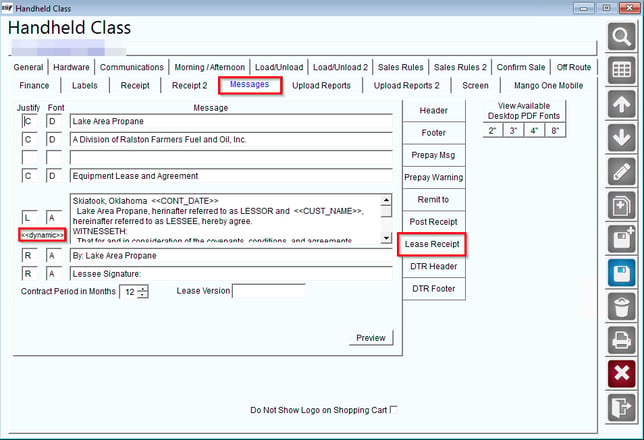
- Edit the section with the <<dynamic>> button and add
<<EQ_MAU>>to the lease receipt. Then, save your changes.

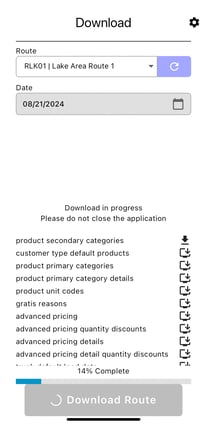
1. Download the Route
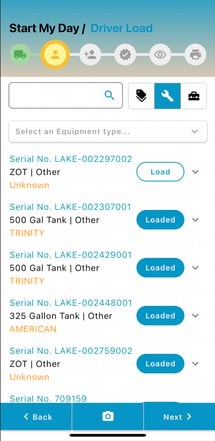
- Download a route and load the designated piece of equipment to the truck during the "Start My Day" process.
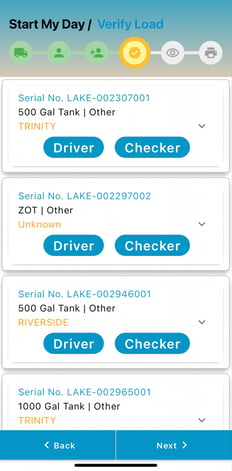
Here is an example of equipment being loaded during Start My Day:
2. Verify Equipment Load
- The checker must verify the equipment load.
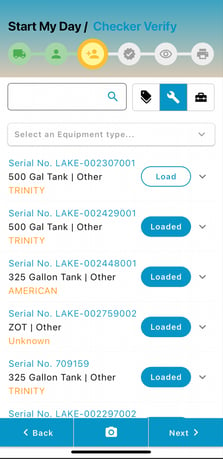
- For additional assurance, verify the load a second time.
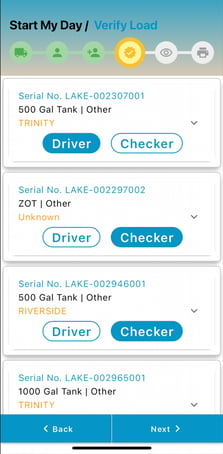
3. Verification Screen
- You will see a screen with both the driver and checker marked off for verification.
4. Select a Stop and Add Equipment
- Choose a stop and add the equipment to the customer.
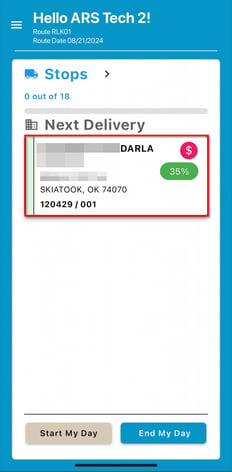
- Add equipment to the customer.
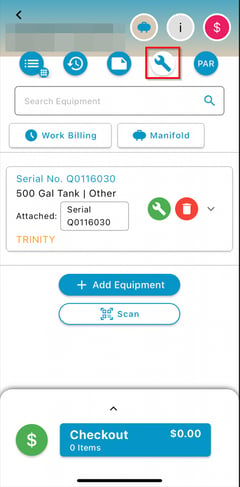
5. Sign the Lease Agreement
- After adding the equipment, sign the lease agreement.
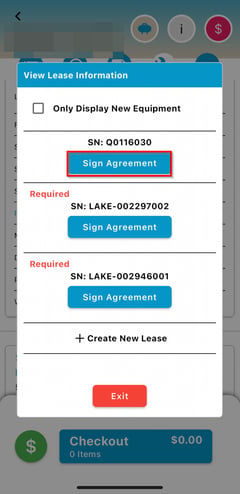
- Ensure that the rental rate for the equipment is confirmed.
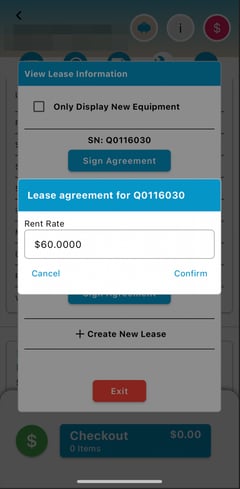
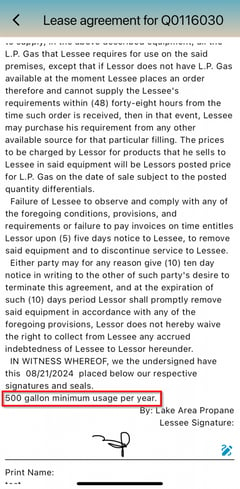
6. Finalize the Lease Agreement
- Sign the lease agreement by adding a signature and printed name. In the lease agreement, the MAU will be displayed.
In this article, you've learned how to set up and manage equipment leases, focusing on the integration of MAU data into lease agreements. By following these instructions, you can ensure that your equipment is properly tracked and verified, and that lease agreements are completed with accurate and essential information.