
Overview/Introduction
The purpose of this article is to walk you through the process of setting up your MidComm ETI [Electronic Truck Interface]. This is designed to work with a eCount series unit such as the one shown below:
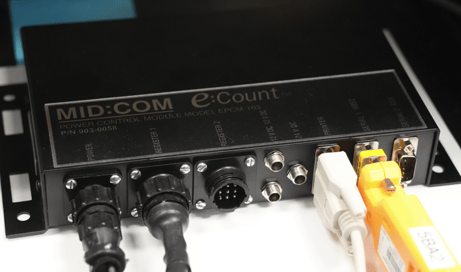
This should be installed in your truck [typically under the front seat.] You will not have a yellow Bluetooth adapter [on the right side] as shown above as that is supplied by Advantage Route. If you do not have the hardware kit, reach out to to our sales team to acquire one: Sales@AdvantageRoute.com.
Setup
There are several things that you will need to do:
- Set up your hardware
- Set up your handheld class
- Connect the MOM handheld to the Bluetooth device.
Process
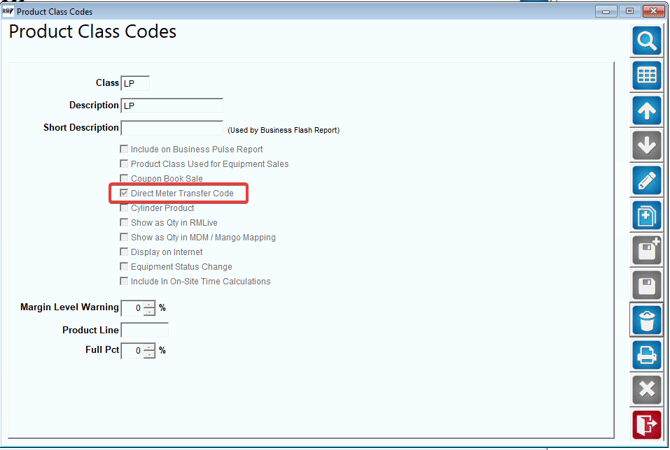
Go to Product Class Codes, select the correct class and enable "Direct Meter Transfer Code"
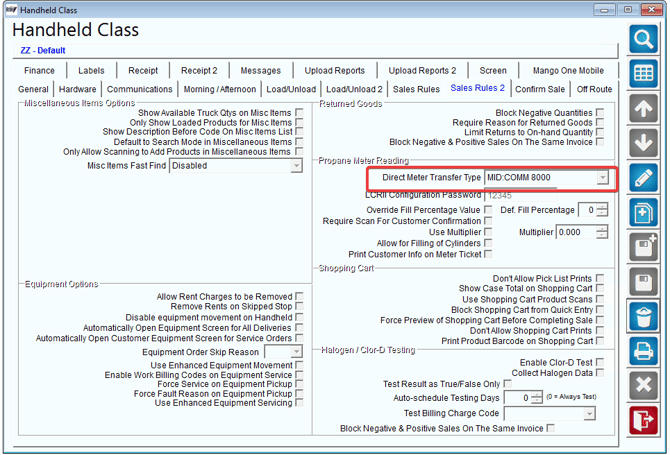
Go to Handheld Class -> Sales Rules 2 -> Direct Meter Transfer Type and choose "MID:COMM 8000"
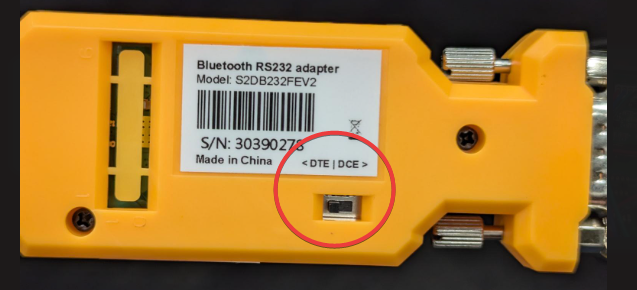
Set the switch on the back of the ETI to DTE.
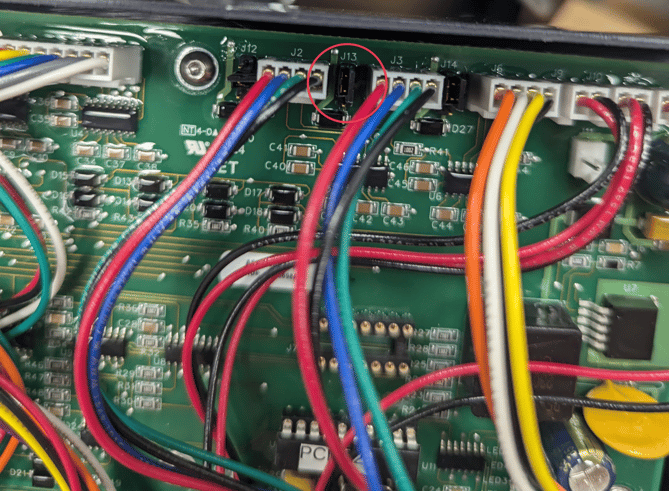
Open the Power Control Module (PCM) by removing the 4 screws on the sides of the chassis. Set the J13 jumper to the top (toward the chassis) position to supply 5V power to the ETI on pin 9.
Reporting
Add any reports related to this process. If there aren't any, delete this field.
Summary
This should help you get your