Setup
There are two sub categories to view the setup for Mango Tank Monitoring; you have Setup and Providers. These can be found under Modules> Mango Tank Monitoring> Setup OR Providers.
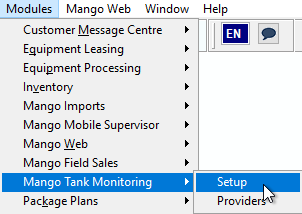
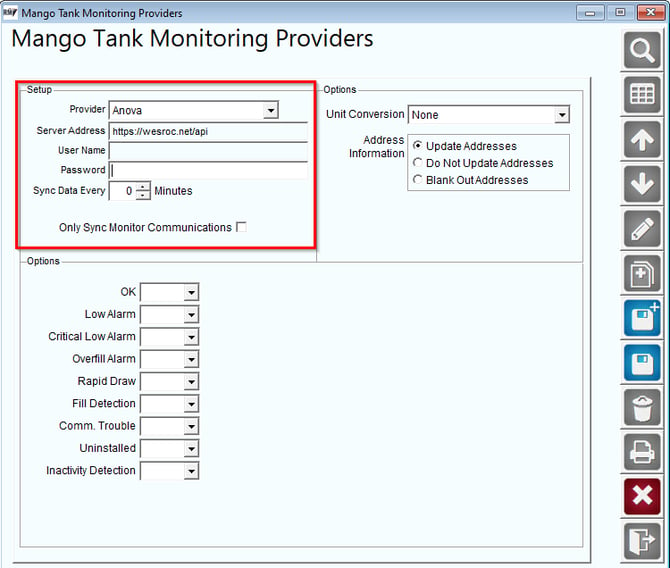
To set up the Anova integration, open the Providers menu item.
- Add a new provider
- Select Anova from the list
- Input the server address as shown below
- Enter User/Password given from the company
- Set Sync Time
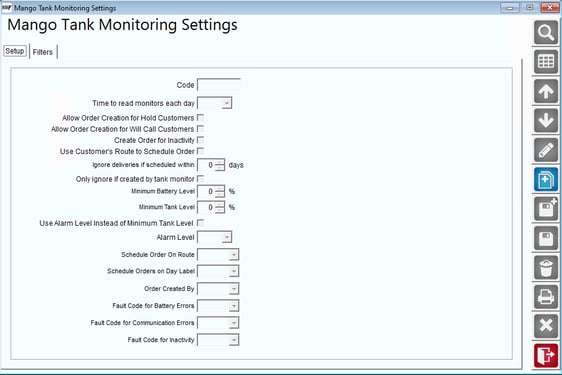
To create orders from monitor data, open the Setup menu item.
- Set time to read monitors and create orders.
- Set User/Route/Day Label for orders.
- Set minimum levels to create orders for.
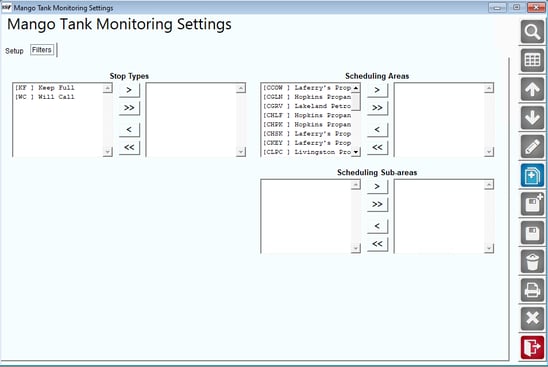
Filters Tab
On the Filters tab, you will be able to filter out the different stop types, scheduling areas, and scheduling sub-areas.
Restart ADV. Comms to run the Anova integration once set up is complete. If the monitor serial numbers do not exist in RMA, they will be imported from the API.
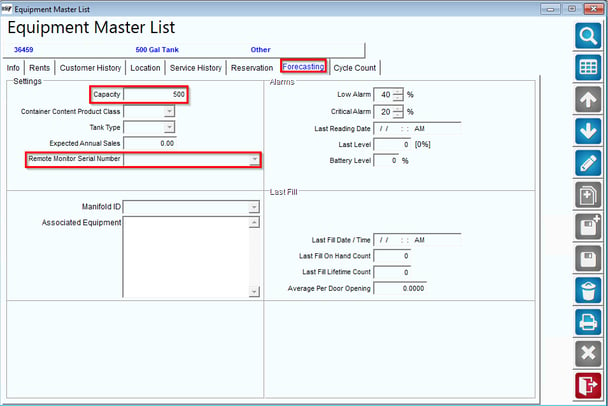
For the sync to update tank levels, the monitors must be assigned to a tank in RMA.
- Open the Equipment menu (Lists > Equipment > Master List).
- Go to the forecasting tab
- Set the tank capacity
- Set the Remote Meter Serial Number to the correct Monitor Serial Number