
Introduction
This report allows you to view a product listing of each customer’s last five deliveries on route. The Last 5 Deliveries report can be found under Reports > Route Reports > Sales > Last 5 Deliveries.
NOTE: This can be useful in plant production planning, route truck balancing, and other management needs.
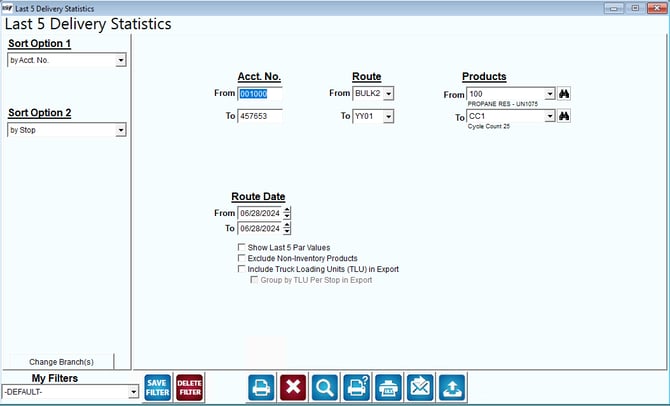
Fields:
Sort Option 1 & 2:The primary and secondary fields to sort by. You can choose from the following categories:
- Account Number
- Stop
- Date
- City
- Sequence
Change Branch: If you are logged into multiple branches, this option may be shown and allows you to re-select the branches to include in the report instead of having to completely exit the report.
Acct No: The range of account numbers to include in the report.
Route: The range of routes to include in the report.
Products: Range of products delivered.
Route Date: Date range to be included.
Show Last 5 Par Values: Select this option to include the recorded Par Levels per product for each delivery day.
NOTE: This option is only used with the Par Module. Contact ARS for further information.