
Introduction
The Keep Full Report is used to calculate next delivery dates for customers based on previous usage calculations and estimated usage calculations in conjunction with tank capacities. The Keep Full Report can be found under Reports > Route Reports > Management > Keep Full Report.
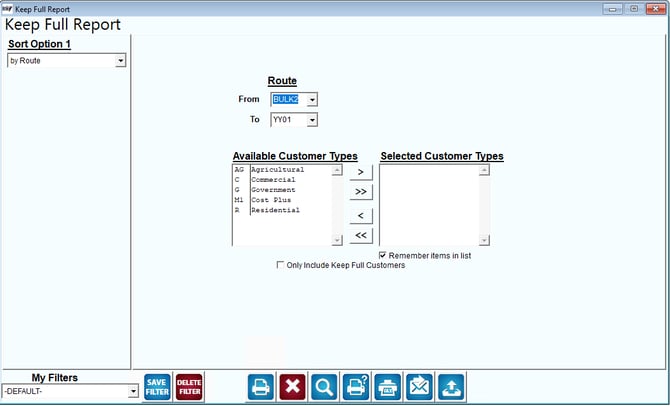
Fields:
Sort Option 1:This option is defaulted for you. This report can only be printed by route.
Route: Enter a range of routes to include in the report.
Available Customer Types: The types of customers available for selection to show on report
Selected Customer Types: The Customer types selected for the report.
 Click this button to move the selected reason from Available Customer Types to Selected Customer Types.
 Click this button to move all items in Available Customer Types to Selected Customer Types.
 Click this button to move the selected field from Selected Customer Types to Available Customer Types
 Click this button to move all reasons in Selected Customer Types to Available Customer Types.
Remember Items in Lists: Select this item to automatically re-select the Products and Product Classes the next time this report is opened.