
Introduction
***This invoice format setup is only available for 710 R7+ builds. (excluding build 7515)***
Setup
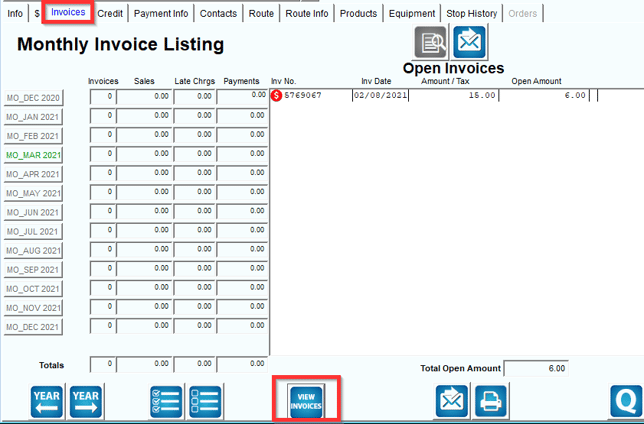
- Open up any Customer account through Lists>Customer Information.
- Locate the Invoices tab and click on "View Invoices".
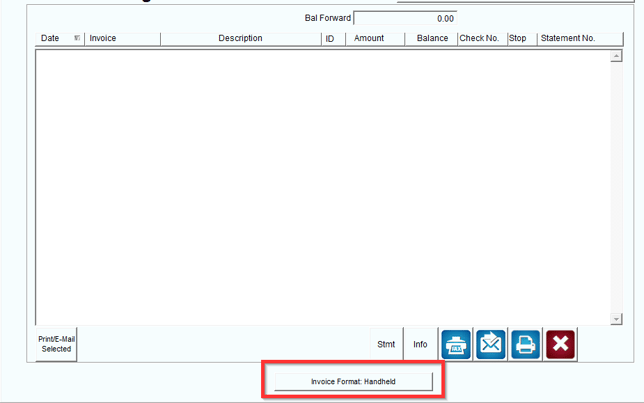
- Click on the "Invoice Format:" option.
- Choose the option you desire for your default invoice format.
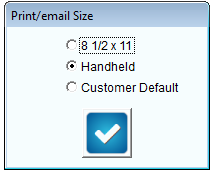
- 8 1/2 x 11- Desktop Format
- Handheld Format
- Customer Default- Whatever option is selected on the customers route tab under "Send Invoice options" This will pull from the "Bill To" side.
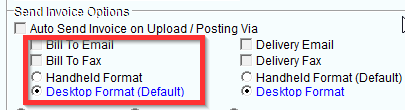
- This default format will now display for every customers account.
Note: This is still a local setting meaning that each employee will need to choose/setup what default format they prefer.