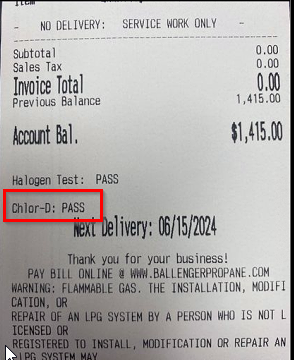
Halogen testing/Clor D testing is a process used to detect the presence of halogens (such as fluorine, chlorine, bromine, and iodine) in materials. This test is often conducted to ensure that products meet environmental and safety standards, as halogens can be harmful to the environment and human health. The testing can involve various techniques, including combustion methods where the material is burned, and the resulting gases are analyzed for halogen content.
You are now capable of performing this test in Mango One Mobile.
Setup
To set this up, go to RMA and navigate to Lists > Routes > Handheld Class > Sales Rules 2 tab.
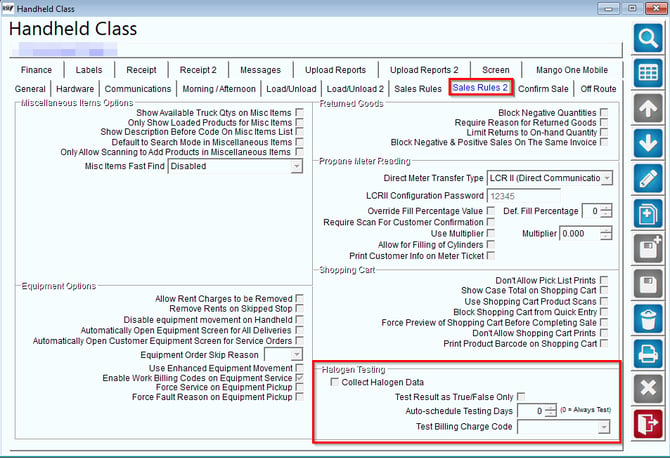
Select edit, then set up the parameters in the Halogen Testing field. Then, select "Save".
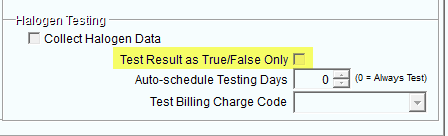
Note: If you have the checkbox below selected, you will not need to enter a value if you fail the Halogen test.
Process
In MOM, after selecting a route, you will need to conduct a Halogen Test. Please verify the results of the Halogen Test and select either "Pass" or "Fail." Finally, click "Complete."
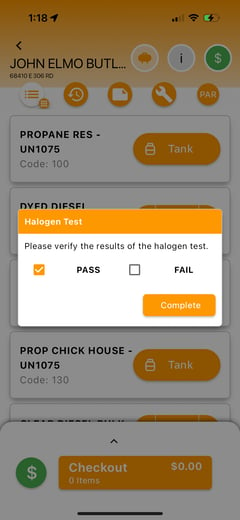
If you fail the Halogen Test and the checkbox labeled "Test Result as True/False Only" in Sales Rules 2 was not selected, you will need to enter a value for the test.
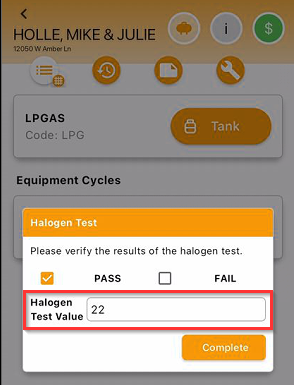
Then, select "Complete".
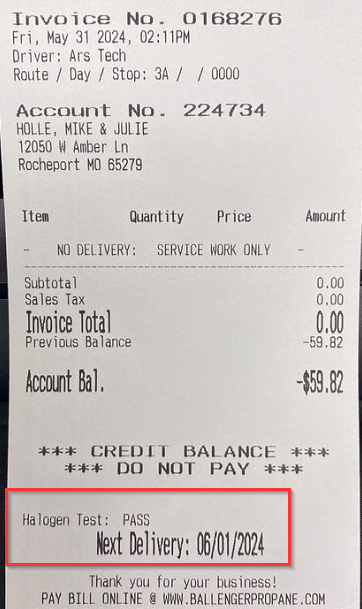
Here is an example of the halogen test on a receipt:
Clor-D Test in MOM
This new Clor-D test feature in MOM helps streamline water quality testing, making it easier for field workers to perform tests and document the results.
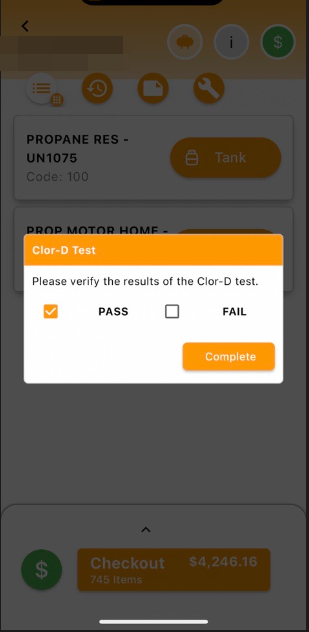
When the service stop is opened, MOM prompts the worker to perform the Clor-D test. They simply record whether the result is a Pass or Fail directly in the app. This feature is particularly useful in industries that need to check chlorine dioxide levels, such as sanitation or municipal water systems.
- Steps to follow:
- Open a service stop in MOM.
- MOM prompts for the Clor-D test.
- Enter the result: Pass or Fail.
Results Uploaded to the Invoice Header
Once the test is done, MOM automatically uploads the test result to the Invoice Header. This makes it easy to track and document the test without any extra steps, ensuring the results are part of the service record.
- What happens next?
The Clor-D test result is added to the invoice, so it’s easily accessible for reference.