Introduction
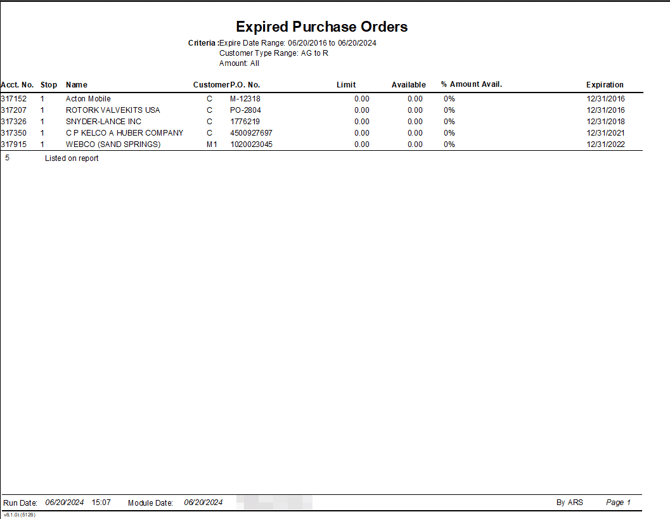
This report includes expired purchase order information entered within the Route tab of Customer Information. The Expired Purchase Orders report can be found under Reports > Management Reports > Expired Purchase Orders.
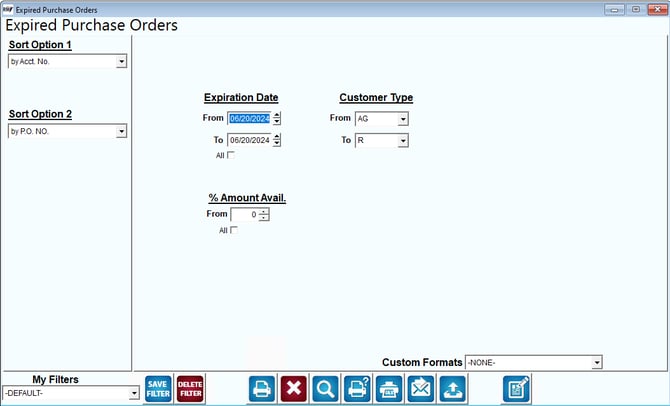
Fields:
Sort Option 1 & 2: The primary and secondary fields to sort by. Sort by the following categories:
- Account Number
- PO Number
Expiration Date: Enter the range of expiration dates to include on this report.
All: Default to include all expiration dates.
Customer Type: Select the range of customer types to include on this report.
% Amount Available: Select the base percentage of the P.O. Available Amount to include on the report.
Here is an example of the report: