
Overview
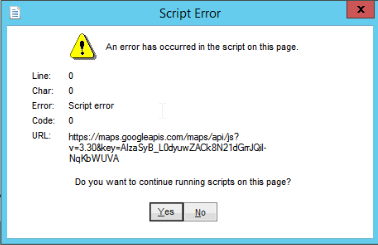
If you receive the following Error when going to Routes>Mango Mapping>Route Optimization please follow the steps below.
Process
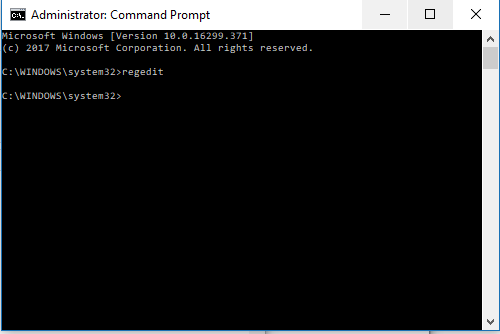
1) Run CMD as Admin > Then type ‘regedit’
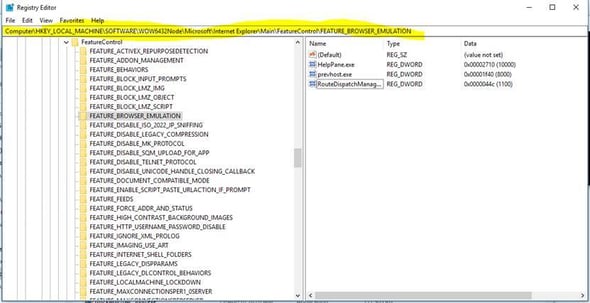
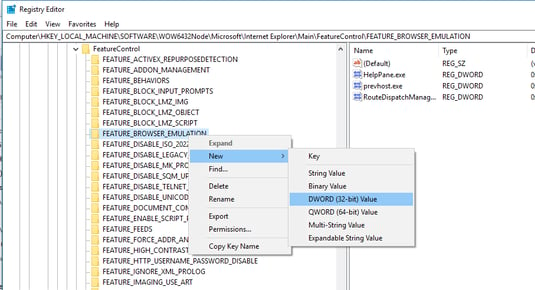
2) Navigate to the following data path
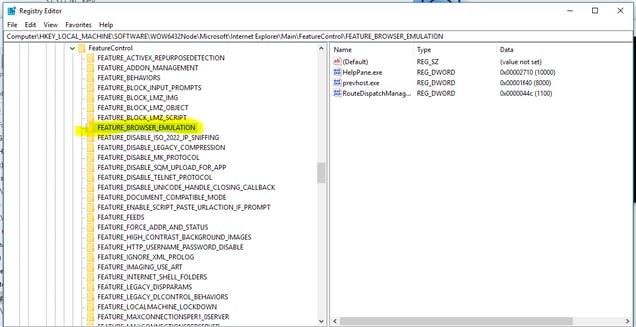
3) Right click on FEATUE_BROWSER_EMULATION
4) When you right click, select New > DWORD (32-bit) Value
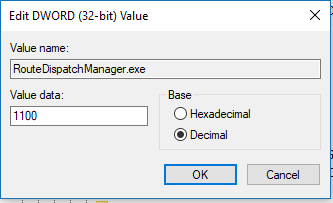
5) A new REG_DWORD file will appear on the right hand side. Tile this RouteDispatchManager.exe.
6) Right click on the new file and click Modify. Change the Base to Decimal and enter a value of 1100. Then hit OK.
1) Run CMD as Admin > Then type ‘regedit’
2) Navigate to the following data path
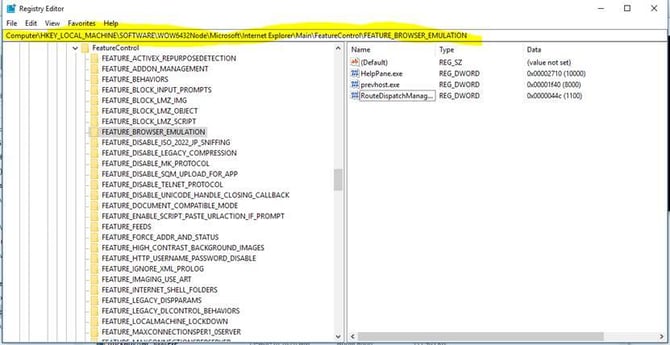
3) Right click on FEATUE_BROWSER_EMULATION
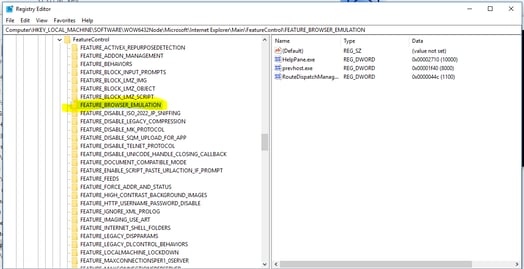
4) When you right click, select New > DWORD (32-bit) Value
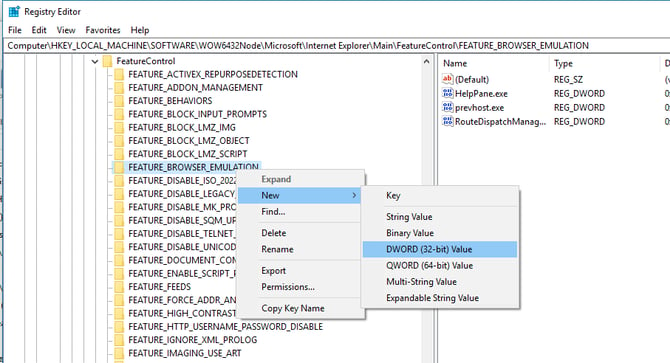
5)A new REG_DWORD file will appear on the right hand side. Tile this RouteDispatchManager.exe.
6)Right click on the new file and click Modify. Change the Base to Decimal and enter a value of 1100. Then hit OK.