
In most parts of the US, our propane delivery customers are required to have a safety message on your receipts and other critical documentation (sale agreements, installation instructions, etc.) Commonly, this is called Duty to Warn.
You can do this in your Route Manager system on your handheld receipt. Normally, you will want to use a 3- or 4- inch printer so that it will be legible for your customer. If you do not print receipts on-site, you can also include this message on emailed receipts, as well.
Here is a typical Duty to Warn message that many propane delivery companies use:
- WARNING: Flammable Gas. The installation, modification, or repair of an LPG system by a person who is not licensed or registered to install, modify, or repair an LPG system may cause injury, harm, or loss. Contact a person licensed or registered to install, modify, or repair an LPG system. A person licensed to install or repair an LPG system may not be liable for damages caused by the modification of an LPG system by an unlicensed person except as otherwise provided by applicable law.
Propane Receipt Warning Message (Shorter Version)
To add the shorter information to the receipt:
1. Go to Lists > Routes > Handheld Class.
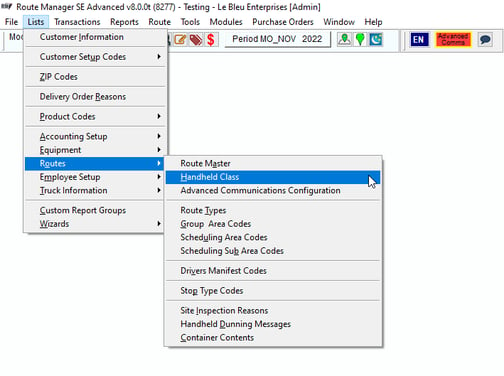
The Handheld Class screen will appear.
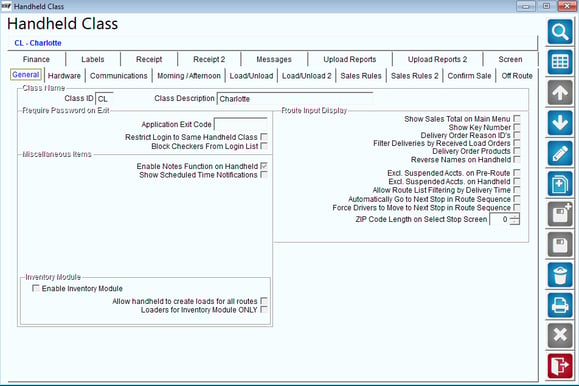
2. Click Messages Tab > Footer.
.png?width=579&height=386&name=hhc%20(1).png)
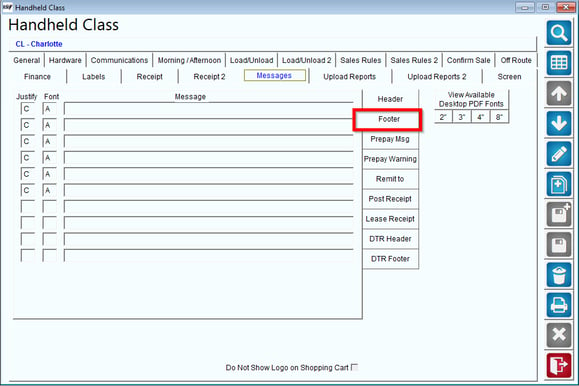
Then, select the 'Modify' button.
.png?width=68&height=55&name=hhsf%20(1).png)
3. Copy and paste a line of the Duty to Warn message in each of the eight message lines.
NOTE: However you place the lines in the message criteria, it will print in the same order on the receipt.
4. Set 'Justify' to L and 'Font' to V. You may need to use a font other than V, but you will need to be careful that all of the words on each line will fit.
5. Then, touch the 'Save' button.

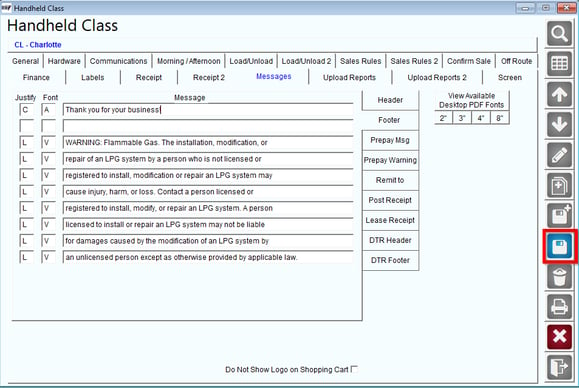
6. Do this for each applicable Handheld Class.
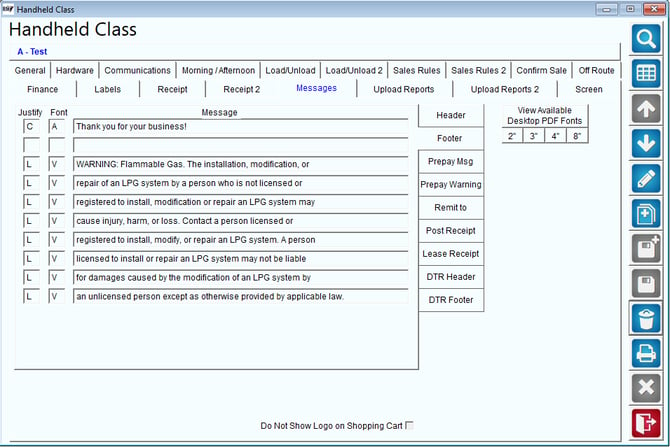
To make this easy, here is information you can copy and paste for each line into your handheld class message.
| Row | Message |
| 1 | WARNING: Flammable Gas. The installation, modification, or |
| 2 | repair of an LPG system by a person who is not licensed or |
| 3 | registered to install, modification or repair an LPG system may |
| 4 | cause injury, harm, or loss. Contact a person licensed or |
| 5 | registered to install, modify, or repair an LPG system. A person |
| 6 | licensed to install or repair an LPG system may not be liable |
| 7 | for damages caused by the modification of an LPG system by |
| 8 | an unlicensed person except as otherwise provided by applicable law. |
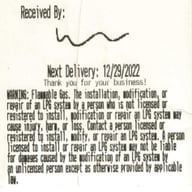
3 Inch Printer Example:
This is how the message prints if you have a 3 inch wide printer or have the width set to 3 inches.
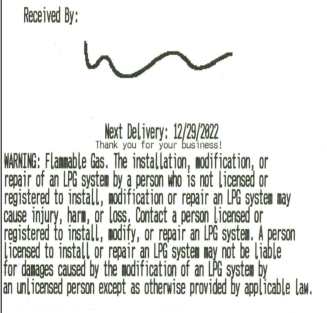
4 Inch Printer Example:
This is how the message prints if you have a 4 inch wide printer or have the width set to 4 inches.
Note: If you would like to have an extended message for your Duty to Warn, you may want to do a longer version. To do this, follow the section below.
Duty To Warn (Extended Version)
This extended version is the Duty to Warn setup on Mango One Mobile (MOM).
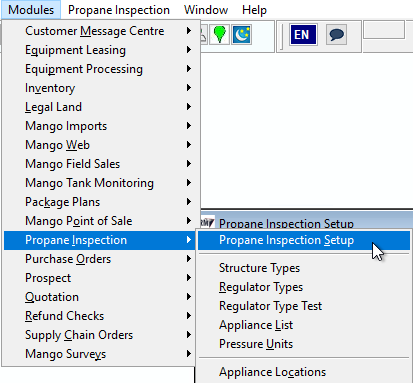
In RMA, navigate to Modules > Propane Inspection > Propane Inspection Setup.
Then, select the third tab on the Propane Inspection Setup labeled Duty to Warn.
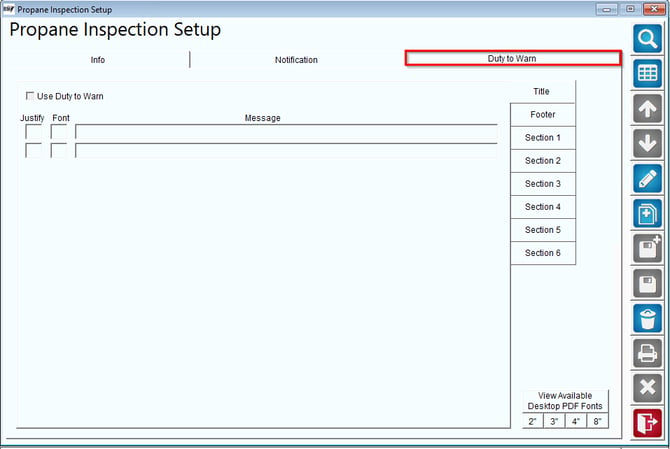
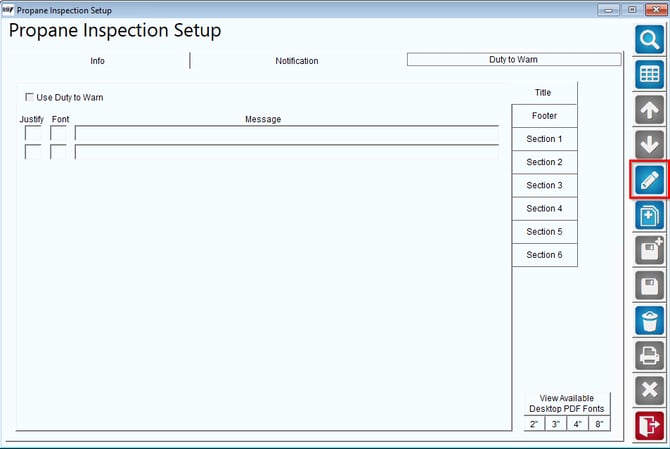
Click the Modify button to begin editing the Duty to Warn information.
Check the Use Duty to Warn checkbox to activate the feature.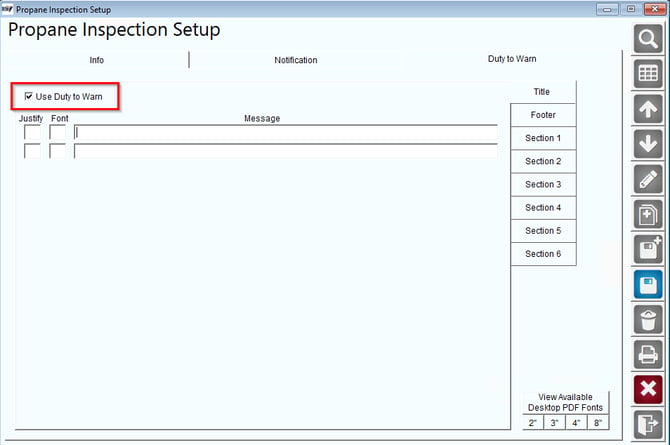
Below is the information to be inserted:
| Section | Message |
| General Safety |
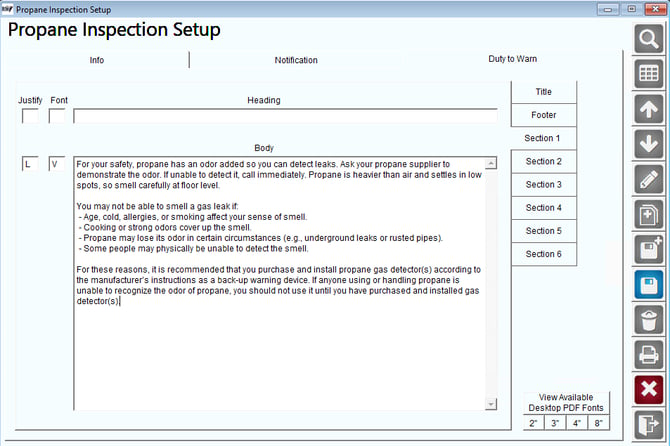
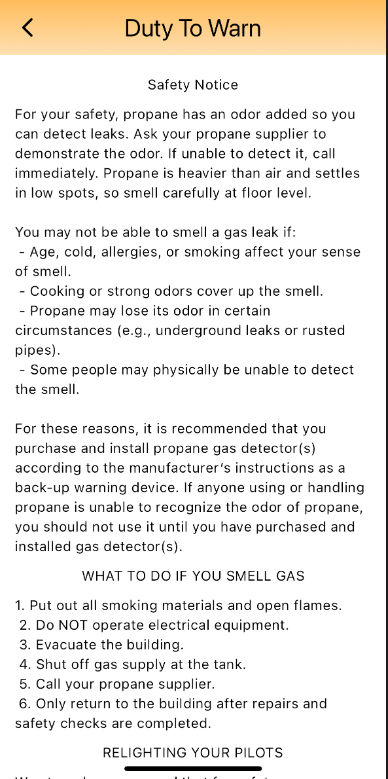
For your safety, propane has an odor added so you can detect leaks. Ask your propane supplier to demonstrate the odor. If unable to detect it, call immediately. Propane is heavier than air and settles in low spots, so smell carefully at floor level. |
| Conditions Affecting Smell |
You may not be able to smell a gas leak if: - Age, cold, allergies, or smoking affect your sense of smell. - Cooking or strong odors cover up the smell. - Propane may lose its odor in certain circumstances (e.g., underground leaks or rusted pipes). - Some people may physically be unable to detect the smell. |
| What to Do If You Smell Gas |
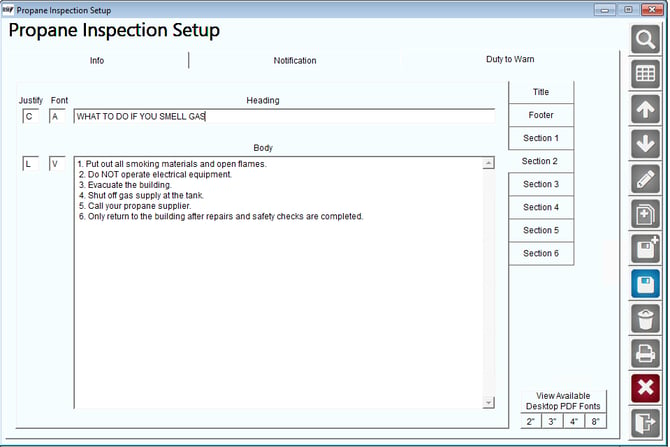
1. Put out all smoking materials and open flames. 2. Do NOT operate electrical equipment. 3. Evacuate the building. 4. Shut off gas supply at the tank. 5. Call your propane supplier. 6. Only return to the building after repairs and safety checks are completed. |
| Relighting Pilots |
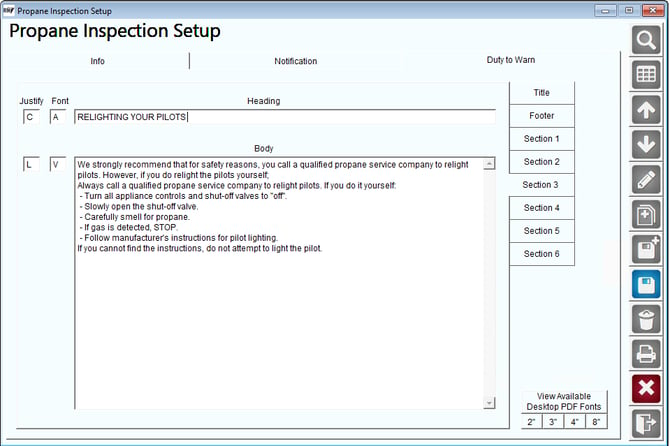
Always call a qualified propane service company to relight pilots. If you do it yourself: - Turn all appliance controls and shut-off valves to "off". - Slowly open the shut-off valve. - Carefully smell for propane. - If gas is detected, STOP. - Follow manufacturer's instructions. |
| Other Safety Rules |
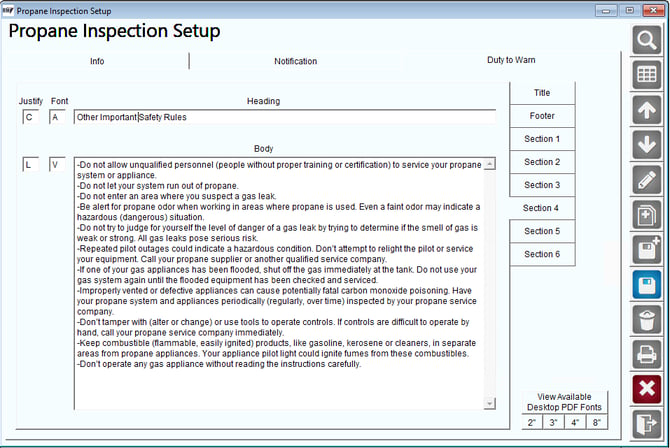
-Do not allow unqualified personnel (people without proper training or certification) to service your propane system or appliance. -Do not let your system run out of propane. -Do not enter an area where you suspect a gas leak. -Be alert for propane odor when working in areas where propane is used. Even a faint odor may indicate a hazardous (dangerous) situation. -Do not try to judge for yourself the level of danger of a gas leak by trying to determine if the smell of gas is weak or strong. All gas leaks pose serious risk. -Repeated pilot outages could indicate a hazardous condition. Don’t attempt to relight the pilot or service your equipment. Call your propane supplier or another qualified service company. -If one of your gas appliances has been flooded, shut off the gas immediately at the tank. Do not use your gas system again until the flooded equipment has been checked and serviced. -Improperly vented or defective appliances can cause potentially fatal carbon monoxide poisoning. Have your propane system and appliances periodically (regularly, over time) inspected by your propane service company. -Don’t tamper with (alter or change) or use tools to operate controls. If controls are difficult to operate by hand, call your propane service company immediately. -Keep combustible (flammable, easily ignited) products, like gasoline, kerosene or cleaners, in separate areas from propane appliances. Your appliance pilot light could ignite fumes from these combustibles. -Don’t operate any gas appliance without reading the instructions carefully. |
1. Title
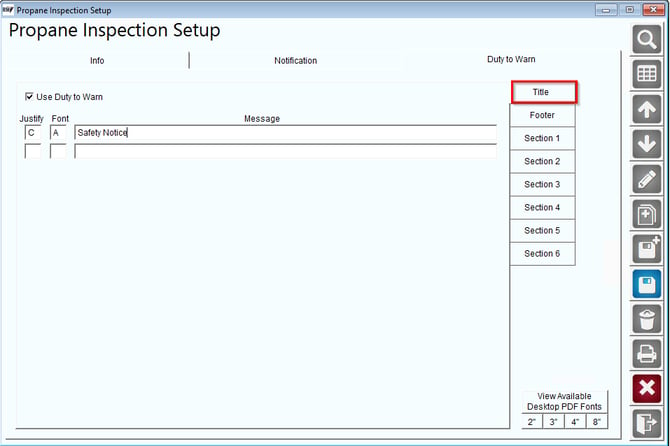
2. Section 1
3. Section 2
4. Section 3
5. Section 4
Once all the details are added, click Save to ensure the information is stored.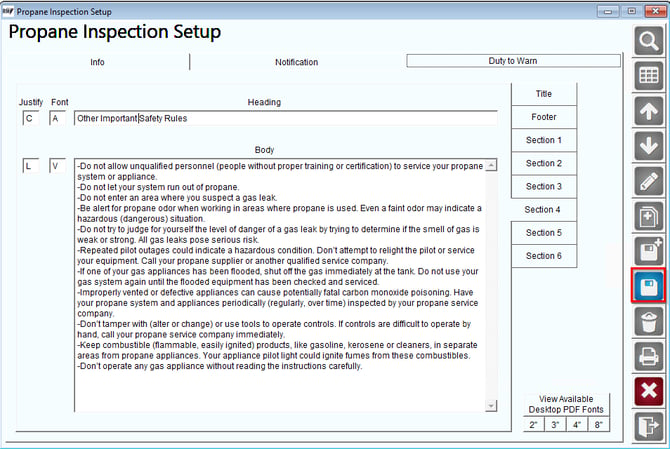
On Mango One Mobile (MOM)
As you complete your route and arrive at the Shopping Cart screen in MOM, you will notice a Duty to Warn button.
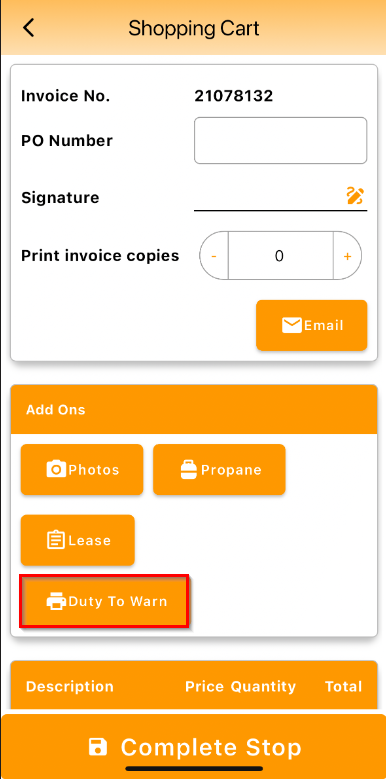
Tap the Duty to Warn button to display the message.
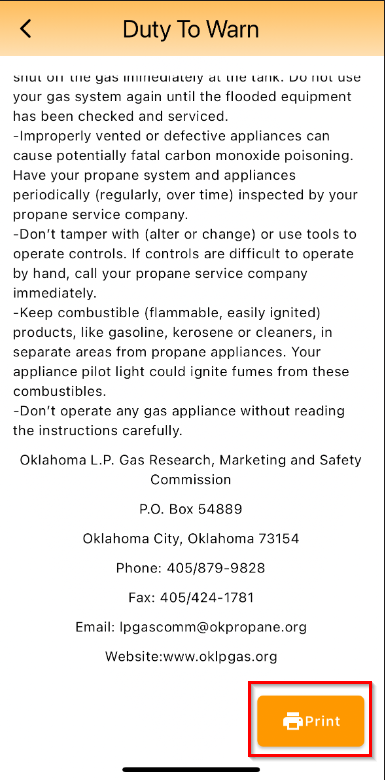
At the end of the Duty to Warn message, there will be a Print button. Tap it to connect to a printer and print the notice.
Summary
The Duty To Warn feature in MOM ensures customers are informed of propane safety guidelines.