
Introduction
This report is used for customers who are in the Recycling industry and recycle hard drives. Navigate to Reports > Accounting Reports > Other > Destroyed Hard Drive Report.
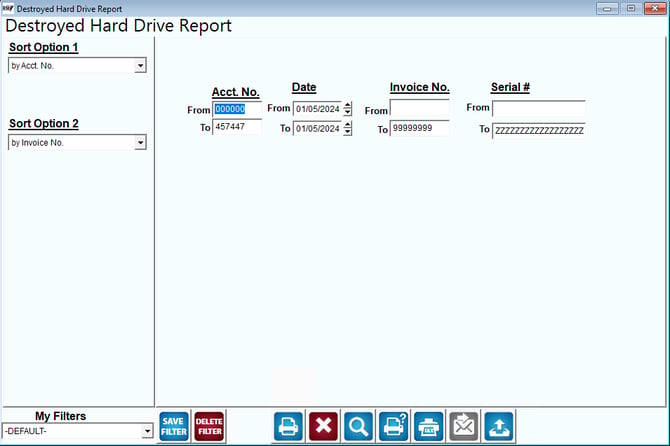
Fields:
Sort Option 1 & 2: The primary and secondary fields to sort by. You can choose from the following categories:
- Acct Number
- Invoice Number
- Acct Name
- Sales Rep 1
- Sales Rep 2
- Sales Rep 3
Acct No: Enter the range of account numbers to include in the report.
Date: Enter the range of dates to include in the report.
Invoice Number: Enter the range of invoice numbers to include in the report.
Serial Number: Enter the range of serial numbers to include in the report.