
Introduction
This report prints a listing of customers that are without delivery or scheduled customers that have not received their deliveries for the period of time entered. The Customer without Deliveries report can be found under Reports > Route Reports > Management > Customer without Deliveries.
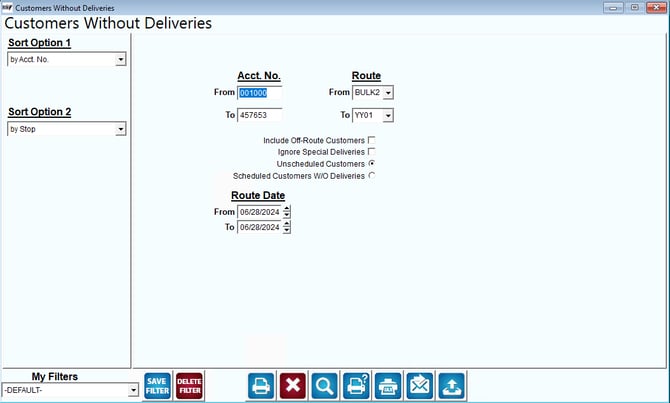
Fields:
Sort Option 1 & 2: The primary and secondary fields to sort by. You can choose from the following options:
- Account Number
- Stop
- Sequence
Acct No: The range of accounts to include in the report.
Route: The range of routes to include in the report.
Include Off-Route Customers: To include off-route customers in this report, check this box.
Ignore Special Deliveries: Do not include special deliveries on this report.
Unscheduled Customers: Click this box to search for unscheduled customers.
Scheduled Customers W / O Deliveries: Check this box to search for scheduled accounts that have not received a delivery.
Route Date: The date range (by route) to include in the report.