
Introduction
The Customer Transaction Report, available at Reports > Accounting Reports > Lookup > Customer Transaction Report, lists all transactions based on the specified criteria.
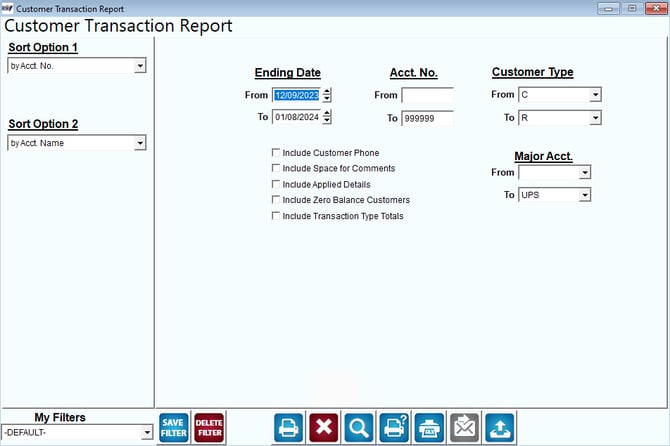
Fields:
Sort Option 1 & 2: The primary and secondary fields to sort by; you can choose from the following categories:
- Account Number
- Account Name
- Invoice Number
- Invoice Date
Ending Date: Enter a date range to include on the report.
Account No: Enter the range of account numbers to include on the report.
Customer Type: Select the range of customer types to include on the report.
Include Customer Phone: Select this option to include the Customer Phone Number.
Include Space for Comments: Select this option to include some free space for each account to allow you to write in comments.
Include Applied Details: Select this option to display the payments that were applied to the invoices.
Include Zero Balance Customers: Select this option to include customers that have a zero balance.
Include Transaction Type Totals: Select this option to include a line item total after each customer.