
Introduction
This report generates a listing of each billing and delivery address per routed account number. The Customer Route Listing Report can be found under Reports > Route Reports > Management > Customer Route List.
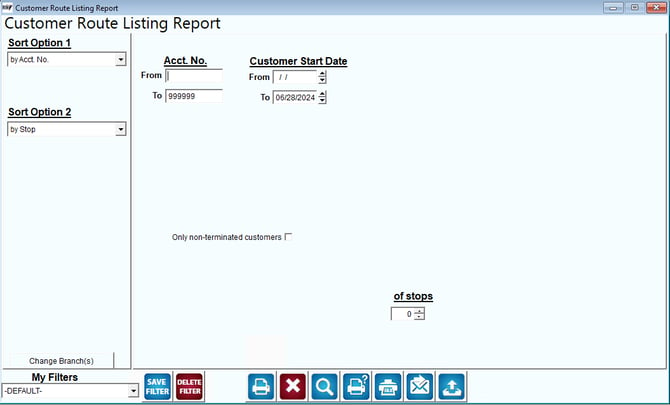
Fields:
Sort Options 1&2: Choose from the following options:
- Account Number
- Stop
- Date
- City
- Sequence
Change Branch: If you are logged into multiple branches, this option may be shown and allows you to re-select the branches to include in the report instead of having to completely exit the report.
Acct No: The range of customer accounts to include in the report.
Customer Start Date: The range of start dates to include in the report.
Only Non-Terminated Customers: Select this option to only include accounts that do not have an end date.
Min of Stops: Select the minimum number of stops on an account to be used as part of the search criteria.