
Introduction
The Customer Promotions Report includes information related to Customer Promotions found under Reports > Management Reports > Customer Promotions Report.
NOTE: This report can only be viewed within Microsoft Excel.
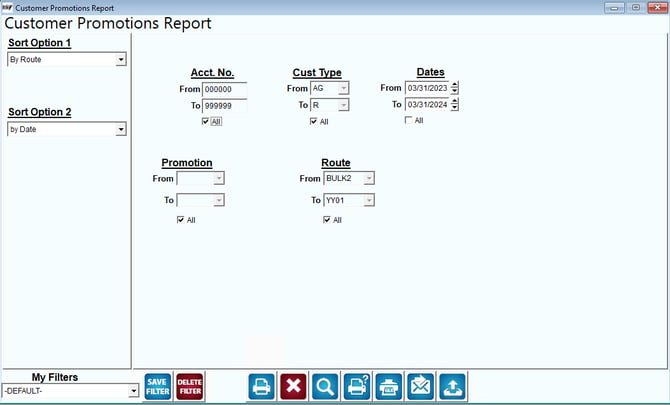
Fields:
Sort Option 1 & 2:The primary and secondary fields to sort by, you can choose from the following categories:
- By Route
- By Date
- By Account No.
Account No: Enter a range of account numbers to include in the report.
All: Select this option to show All accounts on report.
Customer Type: Select a range of customer types to include in the report.
All: Select this option to show All customer types on report.
Dates: Enter a range of delivery day(s) dates to include in the report.
All: Select this option to show All dates on report.
Promotion: Select the range of Customer Promotions to include in the report.
All: Select this option to show All promotions on report.
Route: Select a range of routes to include in the report.
All: Select this option to show All routes on report.