
Introduction
A Creep Test is a test performed on a propane truck in the morning. They utilize the LCR to circulate propane through a hose, feeding it from the truck and then returning it back into the truck. This procedure is conducted to verify the accuracy of the measurement. With the ETI, you have a simpler and more reliable interface for your drivers.
This article will guide you through the process of performing a meter creep test using a Electronic Truck Interface (ETI) in Mango One Mobile (MOM).
Setup
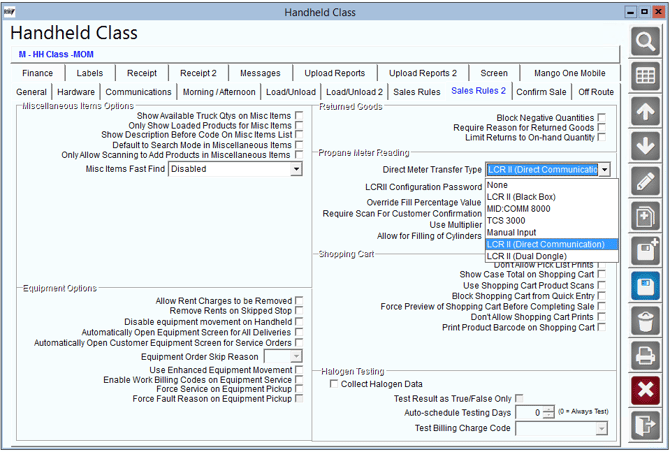
- To begin setup navigate to Lists> Routes> Handheld Class> Sales Rules 2 and select Direct Meter Transfer Type. The primary transfer type is LCR2 (Direct Communication). This will allow you to access the creep test under the vehicle inspection screen in Mango Mobile.
Process
NOTE: This process can be completed during either the Morning or Afternoon Vehicle Inspection. The process outlined below is performed in the morning load process.
1. Download a route as usual.
2. Once you are on the Start My Day screen, continue as usual until you get to the Vehicle Inspection Screen.
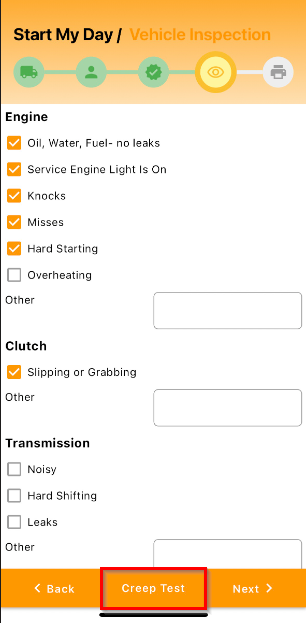
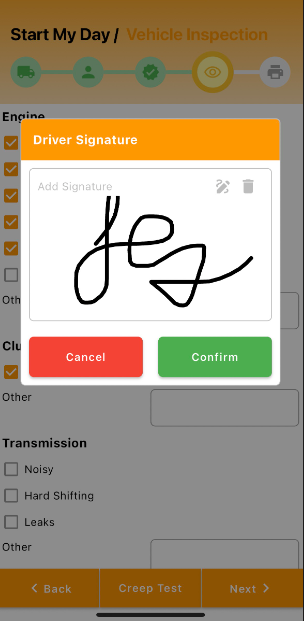
3.Conduct a usual Vehicle Inspection. Then, you will see Creep Test at the bottom of the screen.
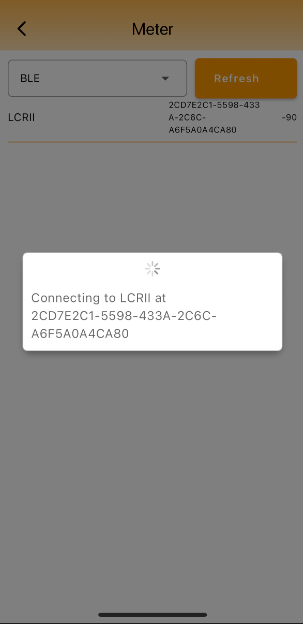
4.Connect to a meter.
5. If there is a User Key for the LCR II meter, enter in the parameters and select "Meter Configuration".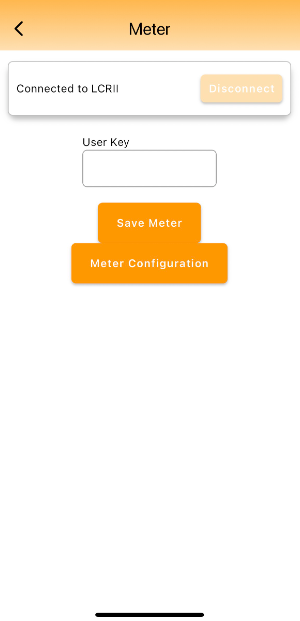
6. If there was a previous meter reading and you would like to save that, select Yes. If you would like to conduct a new reading, select No.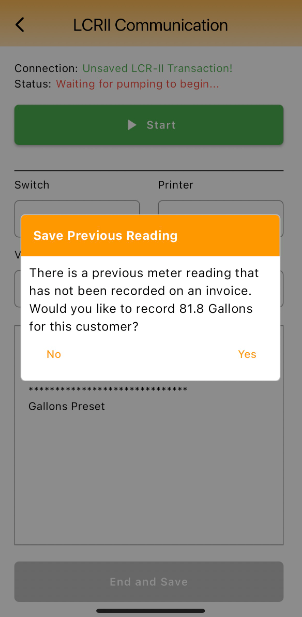
7. Select the Start button and allow the meter to run.
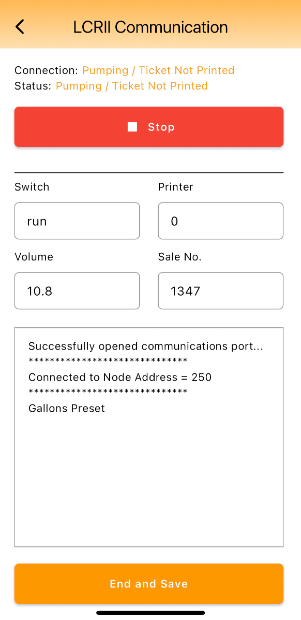
8. Once you have conducted the test, select the Stop button to pause the meter. Then, select End and Save.
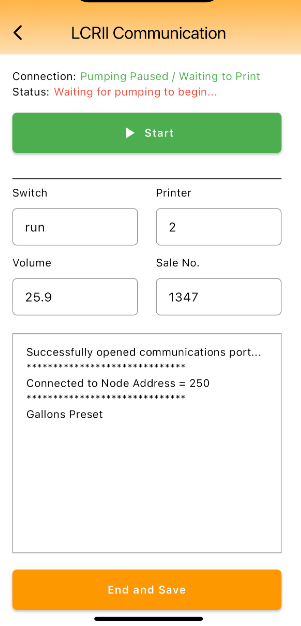
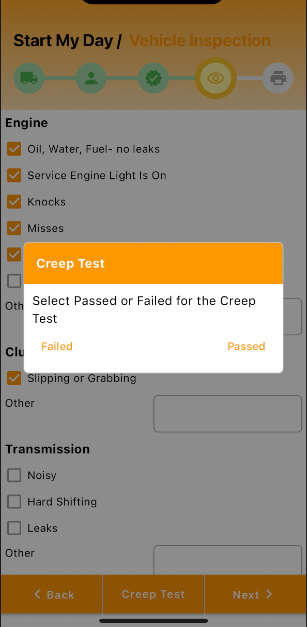
9. After saving the information, select whether the Creep Test Passed or Failed.
10. Add a signature and select "Confirm".
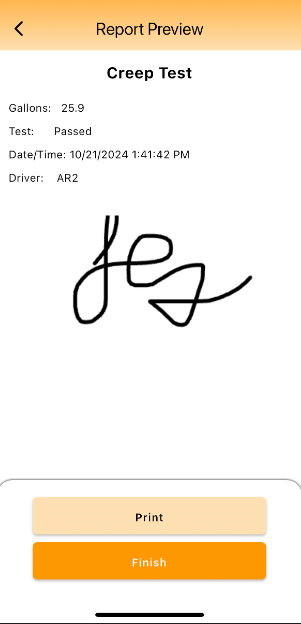
11. You will be able to see the Report Preview for the Creep Test. Select Print to print out the report or select Finish to continue.
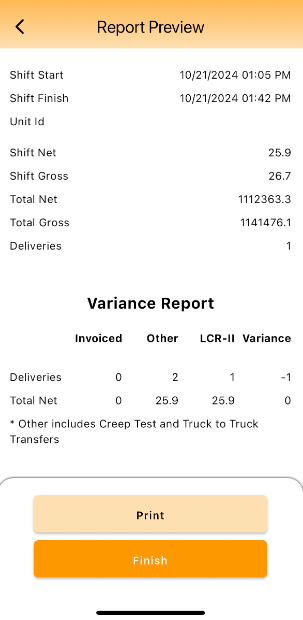
12. You can also view this information on the Variance Report.
Support
If you need further assistance from our support team please email us at support@advantagers.com or call us at 209-632-1122.