
Introduction
A Creep Test is a test performed on a propane truck in the morning. They utilize the LCR to circulate propane through a hose, feeding it from the truck and then returning it back into the truck. This procedure is conducted to verify the accuracy of the measurement. With the ETI, you have a simpler and more reliable interface for your drivers.
This article will guide you through the process of performing a meter creep test using a Electronic Truck Interface (ETI) in Mango Mobile.
Setup
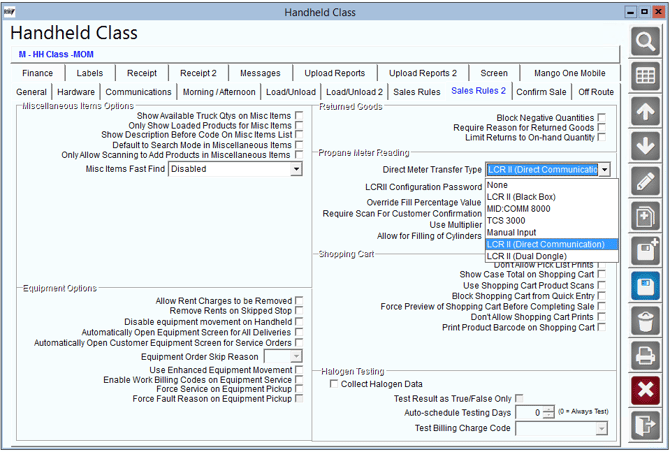
- To begin setup navigate to Lists> Routes> Handheld Class> Sales Rules 2 and select Direct Meter Transfer Type. The primary transfer type is LCR2 (Direct Communication). This will allow you to access the creep test under the vehicle inspection screen in Mango Mobile.
Process
NOTE: This process can be completed during either the Morning or Afternoon Vehicle Inspection. The process outlined below is performed in the morning load process.
1. Download a route, and select the Truck Transfer Icon.
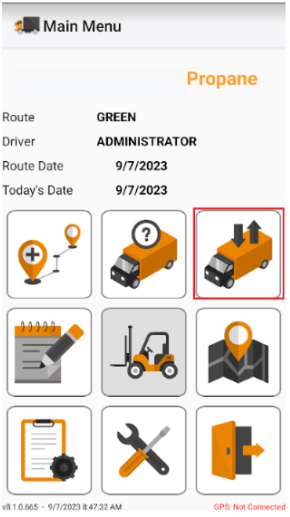
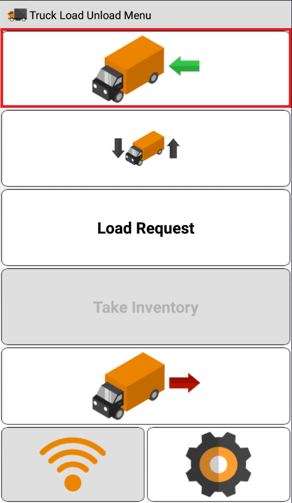
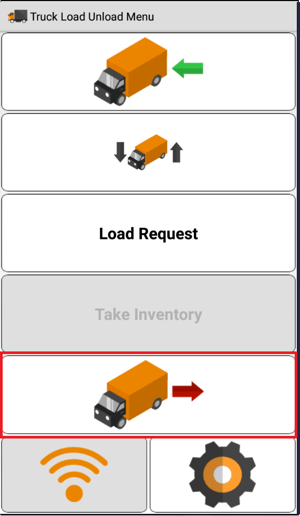
2. Once you are on the Truck Load/Unload Menu, select the Morning Load Icon.
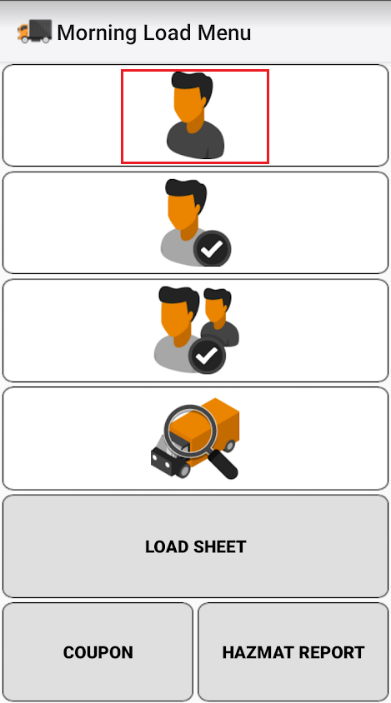
3. On the Morning Load Menu, select the Driver Icon.
4. Select the Truck Icon on the Driver Load screen.
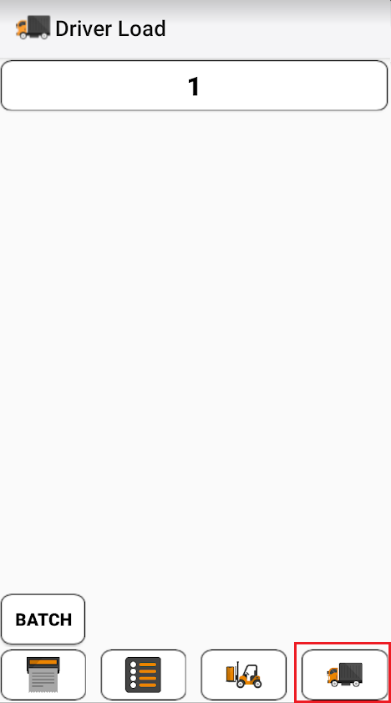
5. You truck ID may already be populated. If it is the correct truck, you can leave this screen alone. If there isn't a truck or it is the wrong truck, select the Truck ID button and choose the correct truck.
6. Navigate back to the morning load menu. Then, select the Vehicle Inspection Icon.
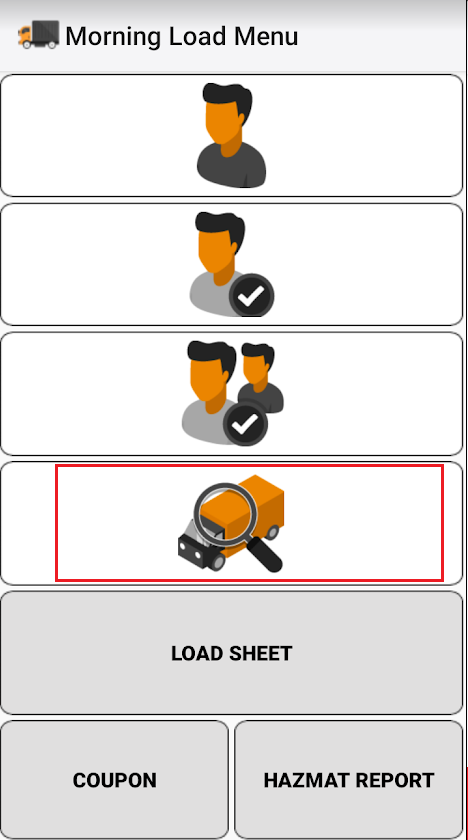
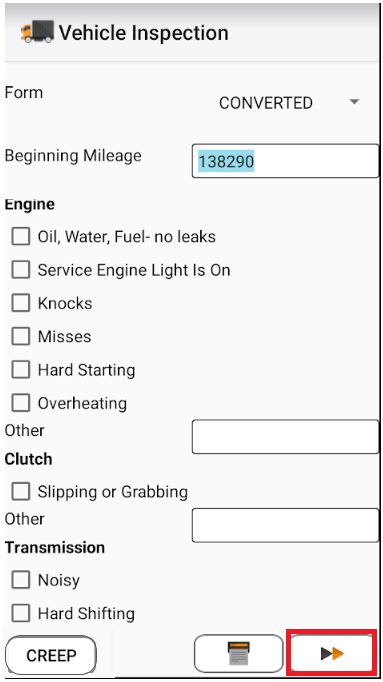
7. Once you are in the Vehicle Inspection screen, select "Creep" to perform your Creep Test.
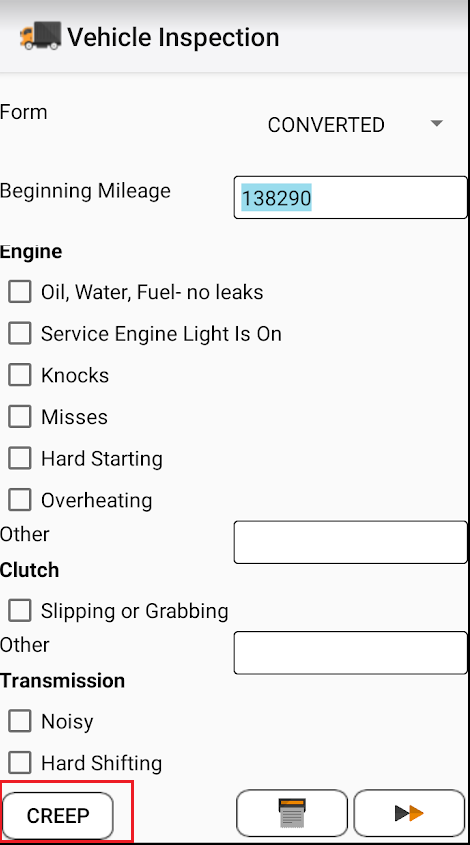
8. Let the Creep test run, once it is completed select "Save Information".
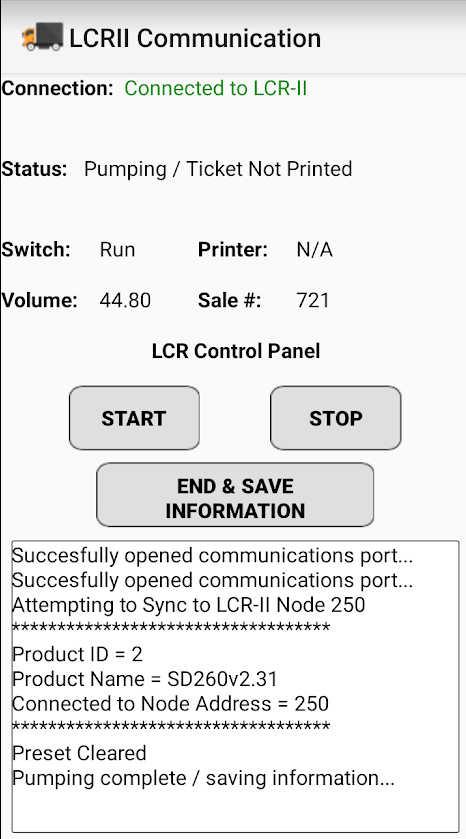
9. Once you are navigated back to your vehicle inspection, complete the inspection and select the complete arrows.
10. To print the report with the creep test, navigate to the Afternoon menu.
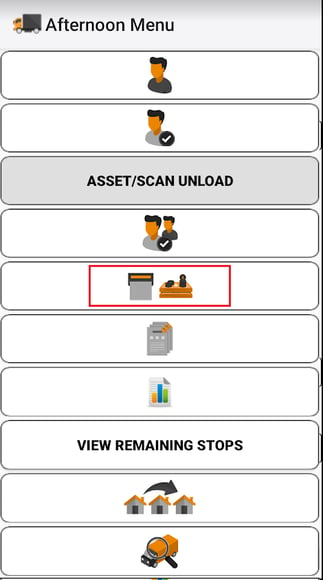
11. Once you are in the Afternoon Menu, select the Afternoon Reports.
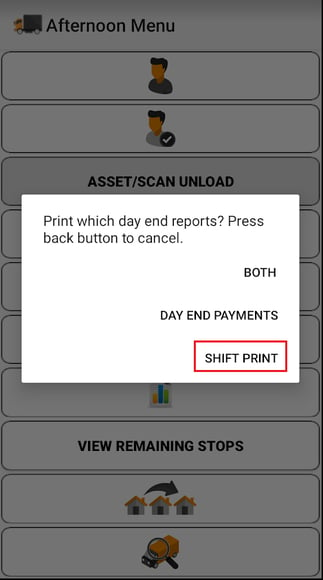
12. Then, select the Shift Print Report.
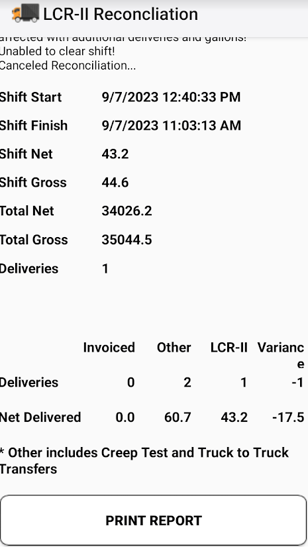
13. The report will be displayed. Select Print Report to complete the Creep Test in Mango Mobile.
Support
If you need further assistance from our support team please email us at support@advantagers.com or call us at 209-632-1122.