
Mango Mapping users have the ability to add ZIP Codes [Postal Codes] directly to RMA through the Mango Mapping . To utilize this function, a few key steps and requirements must be followed:
- Enable the Feature
First, ensure that the ability to add ZIP Codes is enabled within the Mango Mapping Setup.
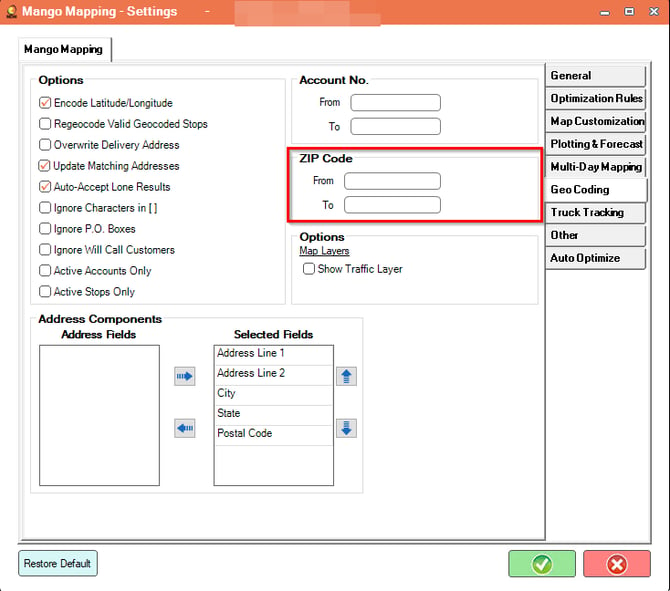
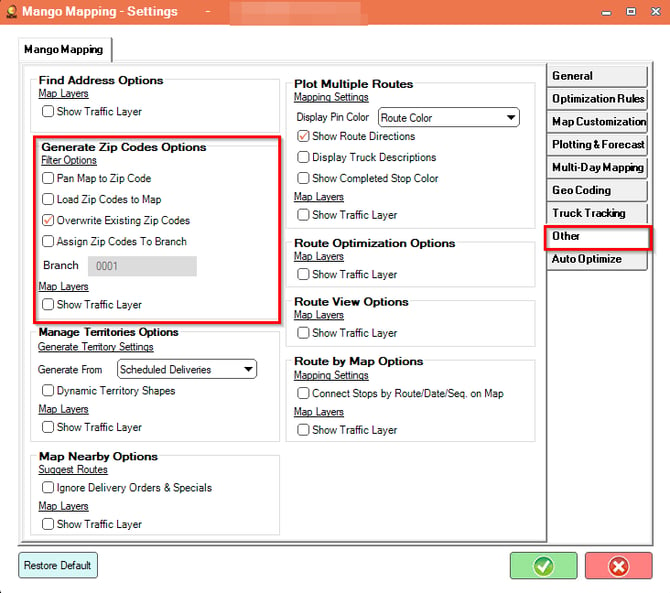
2. Select ZIP Codes in Mango Mapping
Choose the ZIP Codes you wish to create within Mango Mapping.
3. Post-Creation Customization:
Once the ZIP Codes are automatically created, you may want to add additional details such as:
- Default Branch
- Default Sales Tax
- Colors
To add or modify this information, navigate to Lists > ZIP Codes in RMA from the Main Menu.
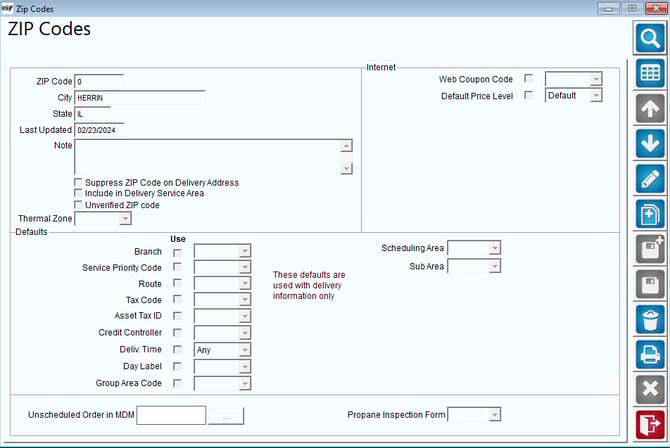
There are no reports associated with this article. You can print out the ZIP Code List by using the PRINT button on the right side of the screen.
Summary
This process can help you expedite the creation of ZIP codes if you are just starting out. You may find that it is easier to import them for the customers that you are starting with. Also, if you are using the Docking Version, your ZIP Codes will be created automatically for all address that come from your host accounting system.