
Introduction
This report includes a balance summary of each account assigned to the Consolidated Statement option within Customer Information. The Consolidated Billing Summary report can be found under Reports > Accounting Reports > Customer > Consolidated Billing Summary.
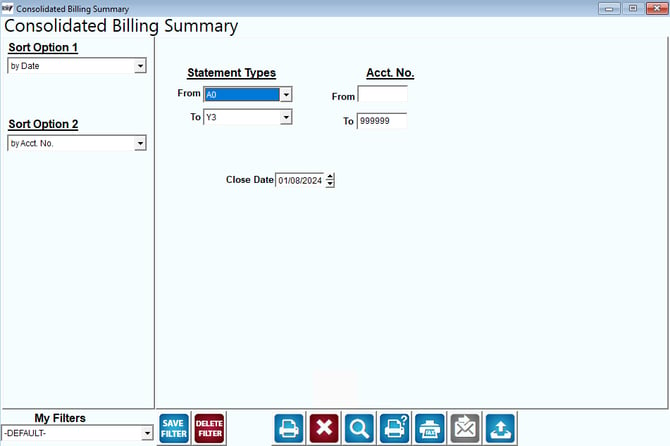
Fields:
Sort Option 1 & 2: The primary and secondary fields to sort by. You can choose from the following categories:
- Date
- Account Number
- Account Name
- Customer Type
- Major Account Code
- Zip Code
- Tax Code
- Credit Class
- City
- Statement Code
- Account Status
Statement Types: Select the range of statement types to include in the report.
Acct No: Enter the account number range to include in the report.
Close Date: Enter the Period Close Date that will be listed on the report.