
This process outlines the steps to view and print a load order in MDM. A load order provides a detailed list of products scheduled for delivery, allowing you to efficiently manage your truck’s load. By following these instructions, you will be able to access the load order, configure print settings, and review the product details, including a dedicated section for picking and checking items.
Process
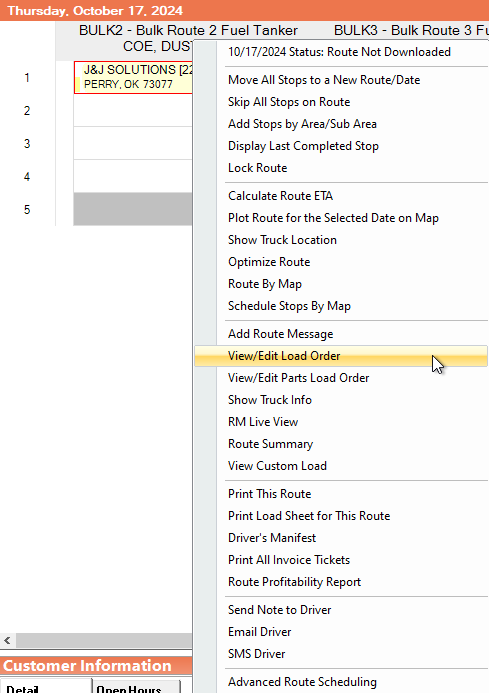
In MDM, right click on a stop. Then, select "View/Edit Load Order".
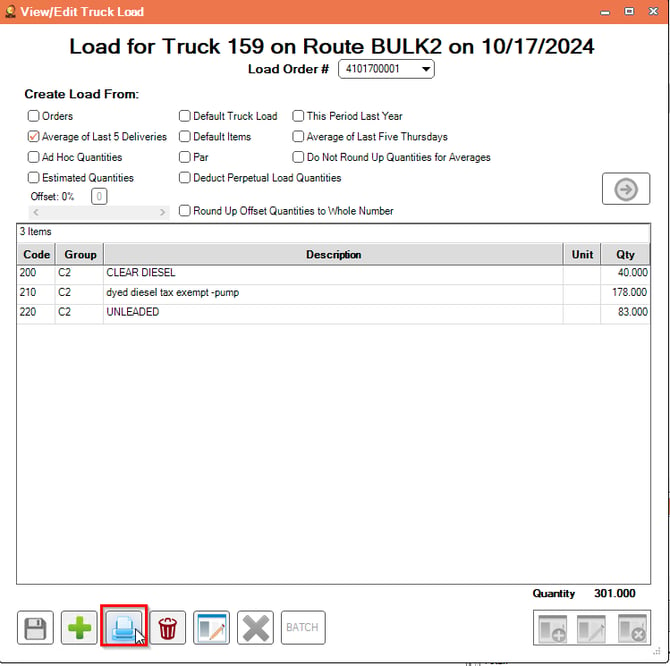
Once you select the View/Edit Load Order button, the View/Edit Truck Load screen will appear. Select the print button.
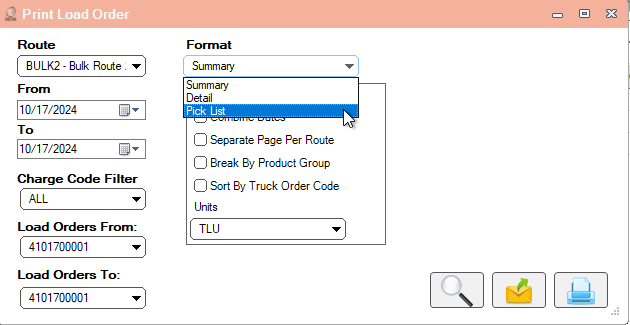
To Print the Load order, enter the following fields. Select The Pick List format from the dropdown menu.
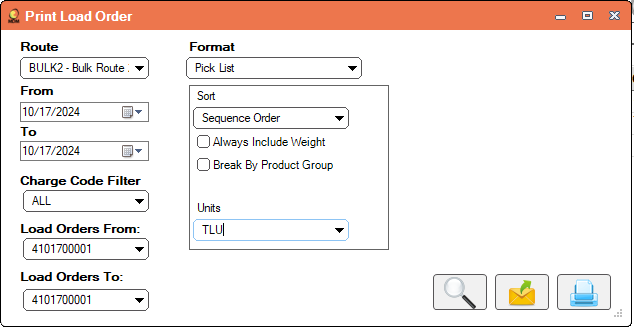
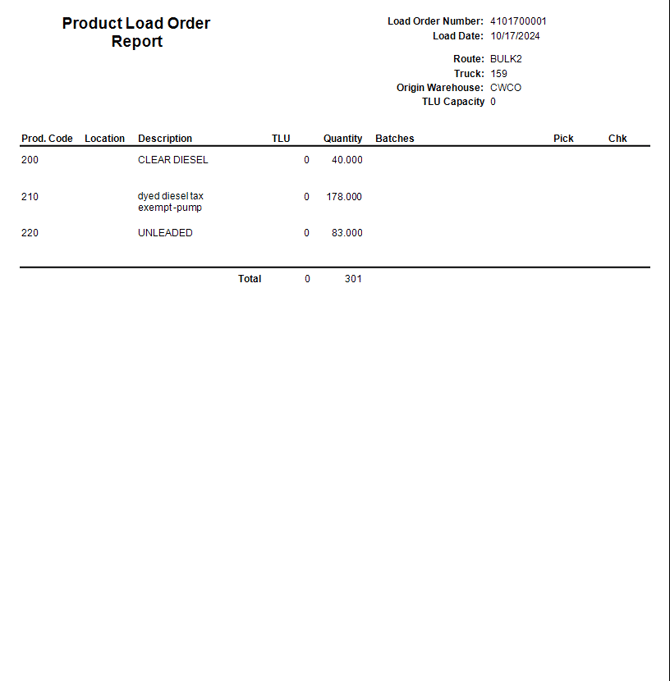
After entering the fields, select the magnifying glass to view the Product Load Order Report.
On the right side of the Load Order, you will be able to see the Pick and Check section on the report.
By following the steps above, you can successfully view and print a load order in MDM.