
Overview
This article will go over the Global Tool on how to change employee's ID's.
Setup
Must be on version 7.2 1500 and above.
Process
Make sure all users are out of the system as this will be a Single User Mode process.
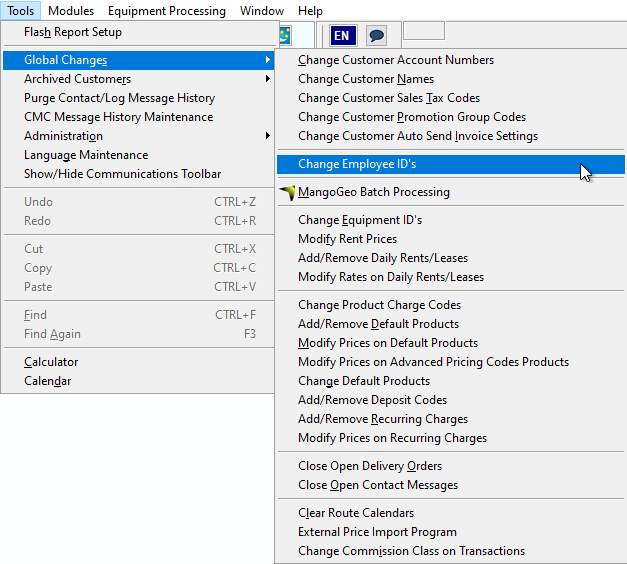
Go to Tools > Global Changes > Change Employees ID's.
In the following Fields, select the employee initials you wish to change and input the new initials.
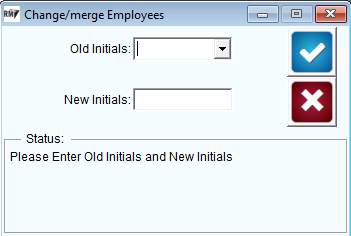
Click the blue Checkmark to complete the process.