
Introduction
This report includes payments collected by Sales Reps or Drivers. Find this report under Reports > Accounting Reports > Sales > Cash Received by Employee Report.
This report is often used to pay commissions based on payment received totals.
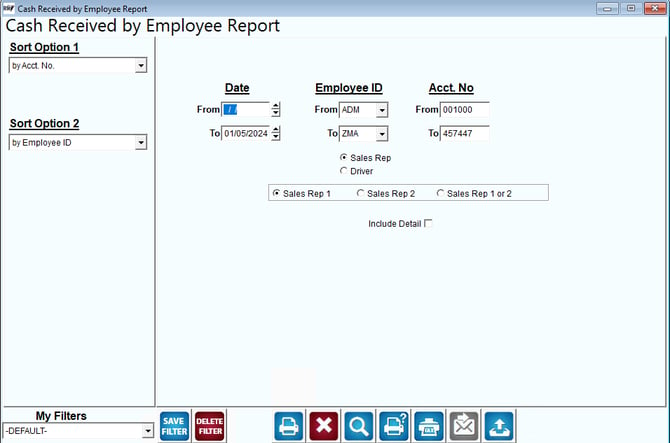
Fields:
Sort Option 1 & 2: The primary and secondary fields to sort by. Select one of the following categories:
- Account Number
- Employee ID
Date: Enter the range of dates to include in the report.
Employee ID: Select the range of employee ID numbers to include in the report.
Acct No: Enter the account number range to include on the report.
Sales Rep/Driver: Select either button for the report to represent payments received by either group of employees.
Sales Reps: Select which sales representative to include on the report from the list below.
- Sales Rep 1
- Sales Rep 2
- Sales Rep 1 or 2
Include Detail: Check this box to only include a complete list of details of the monies collected on the dates chosen.